Showing this page in English.
🛡️ The #1 Community Safety Platform

Neighbourhood watch.
Organised.
Patrol automation.
Built in.
WhatsApp in.
Incidents out.
AI assisted.
Human-decided.
Cameras, drones, radio.
One grid.

SafeGrid connects residents, patrollers, control rooms, and security companies into one real-time safety network. From panic buttons to community oversight — everything your community needs, wherever it is.


Get the app
Download on the App Store Direct download - Android APK
🏘️ Neighbourhood Watches
🚔 Police Coordination
🏨 Guest Houses
🛡️ Community Policing
One grid: residents, patrollers, control room and security — live
Patrol map — where your patrollers actually went
Patrol map
The SafeGrid app

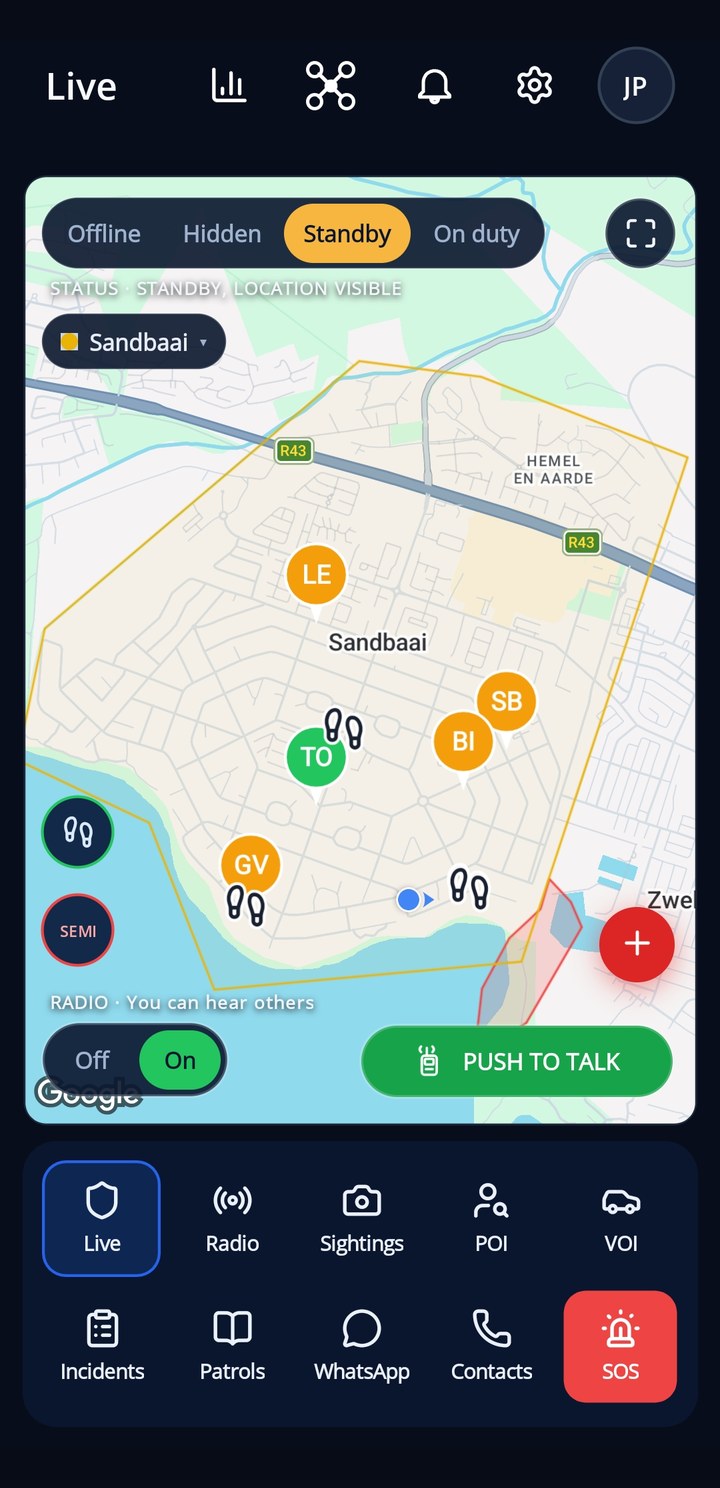
Patrol map

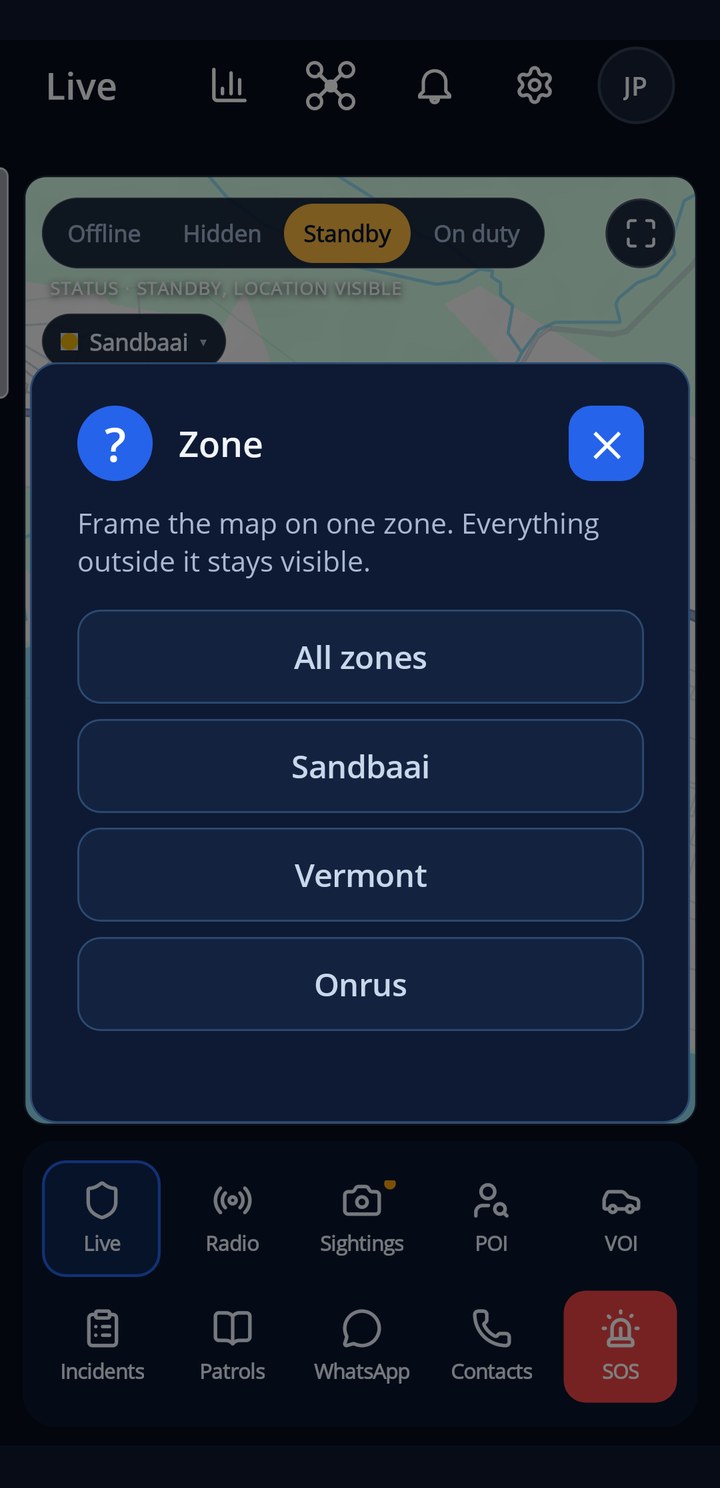
Who is on duty and where, the site boundary, named places and no-go zones, live on the map. Set your own status with one tap: offline, hidden, standby or patrolling.

  • Live positions of every on-duty patroller
  • Boundary, places and no-go zones drawn on the map
  • Your status in one tap, respected by everyone
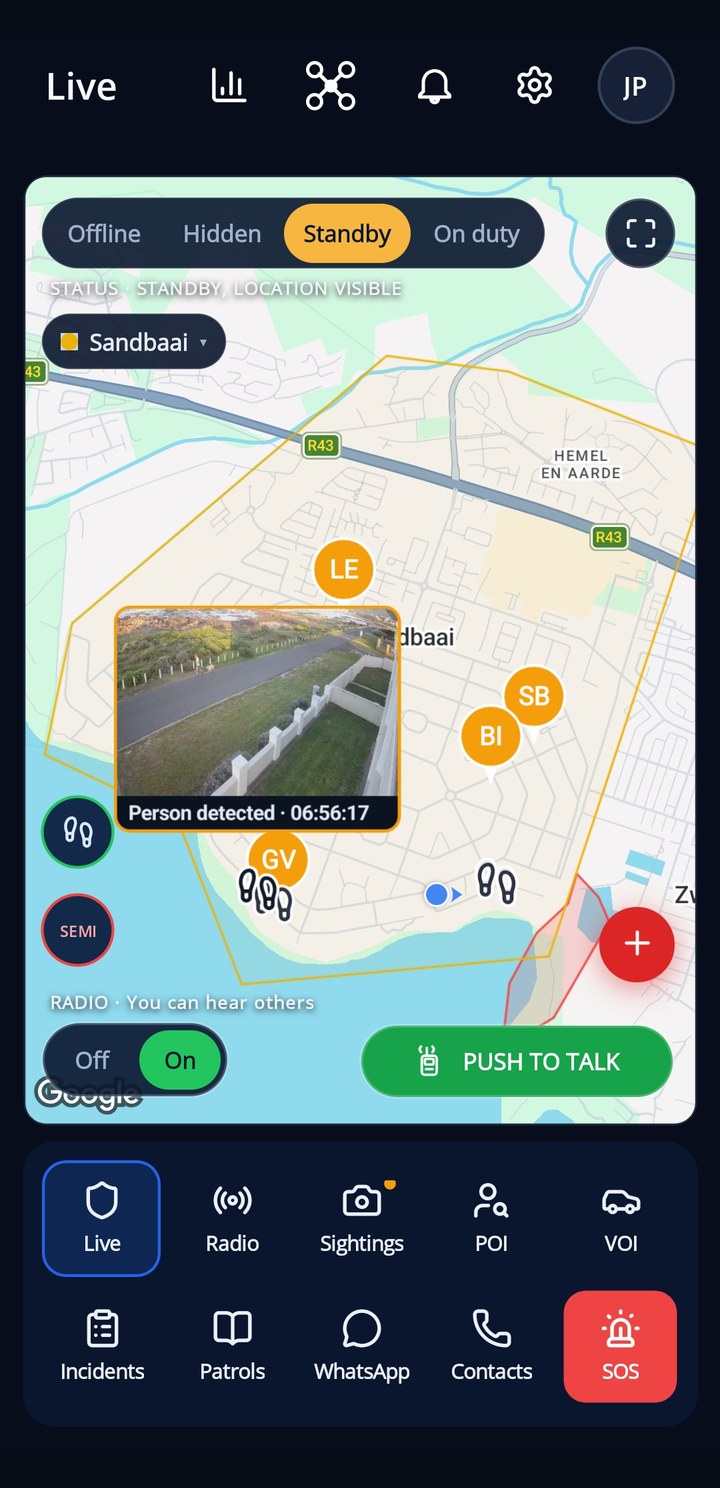
On the phone — the team map in a patroller's pocket
How it fits together — every source in, every role out, one grid
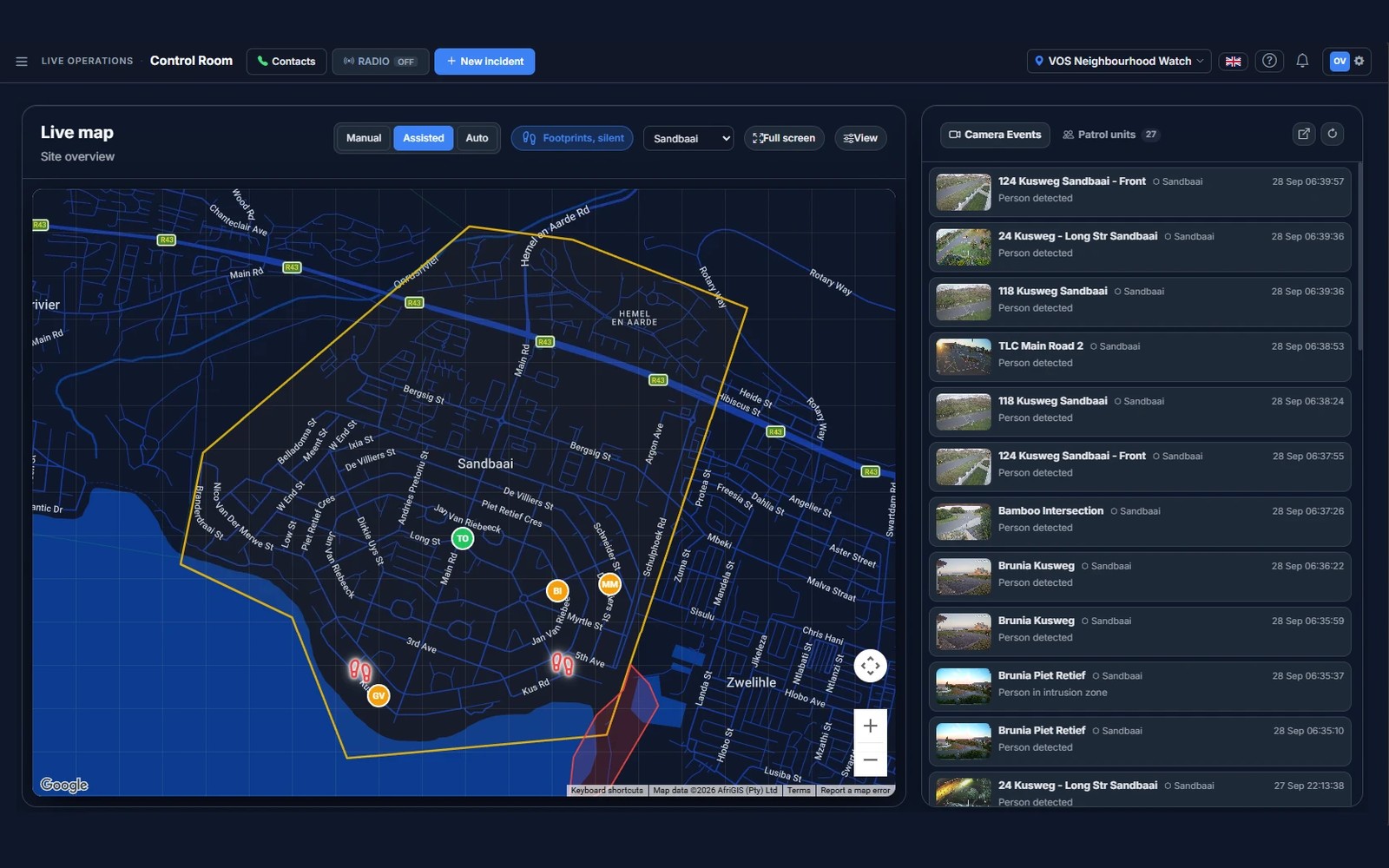
Control room — live map, patrollers, incidents
SOS and backup
The SafeGrid app

SOS and backup

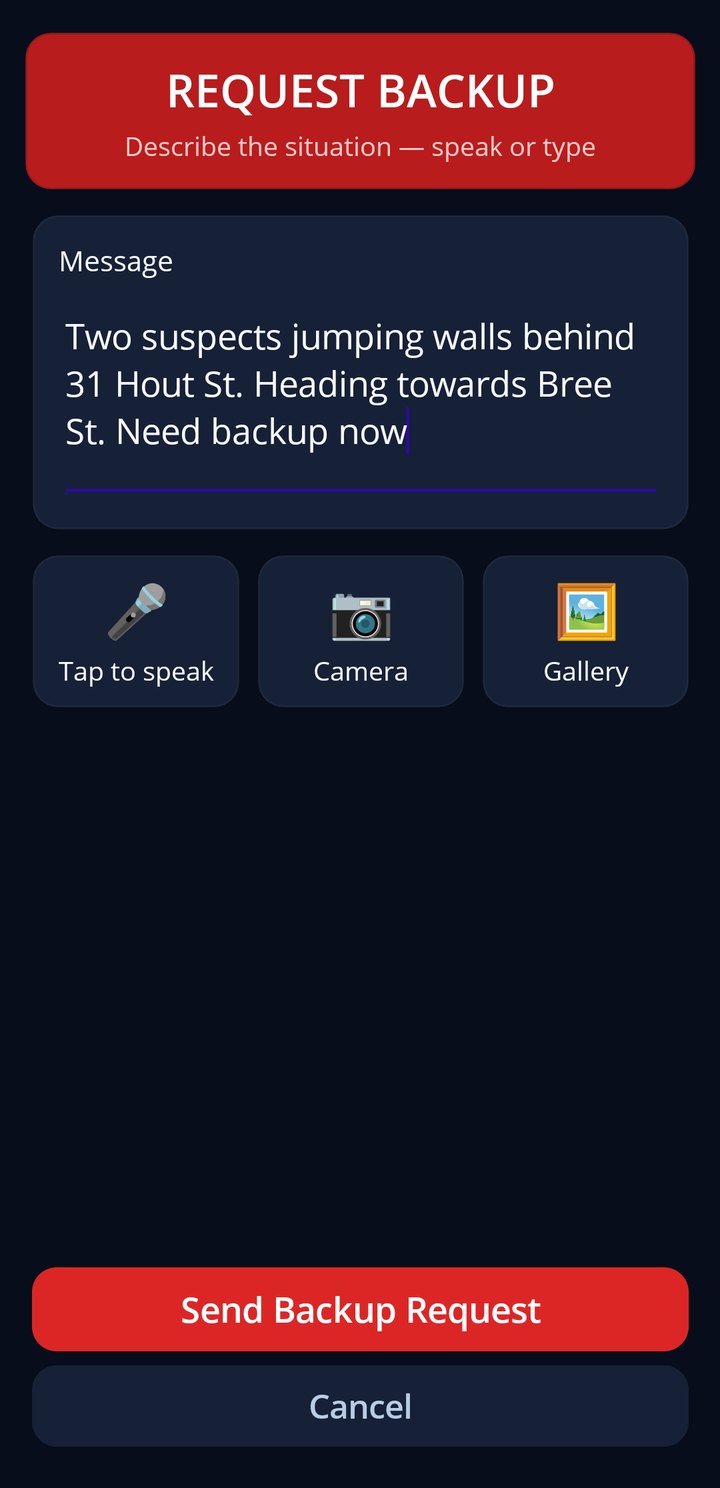
One press sends your position to everyone on duty. Speak or type what is happening, add a photo, and the team is on its way.

  • Location sent with the alert, always
  • Speak or type, attach a photo
  • Loud alert on every on-duty phone
SOS — request backup, speak or type
Dashboard — the whole site at a glance
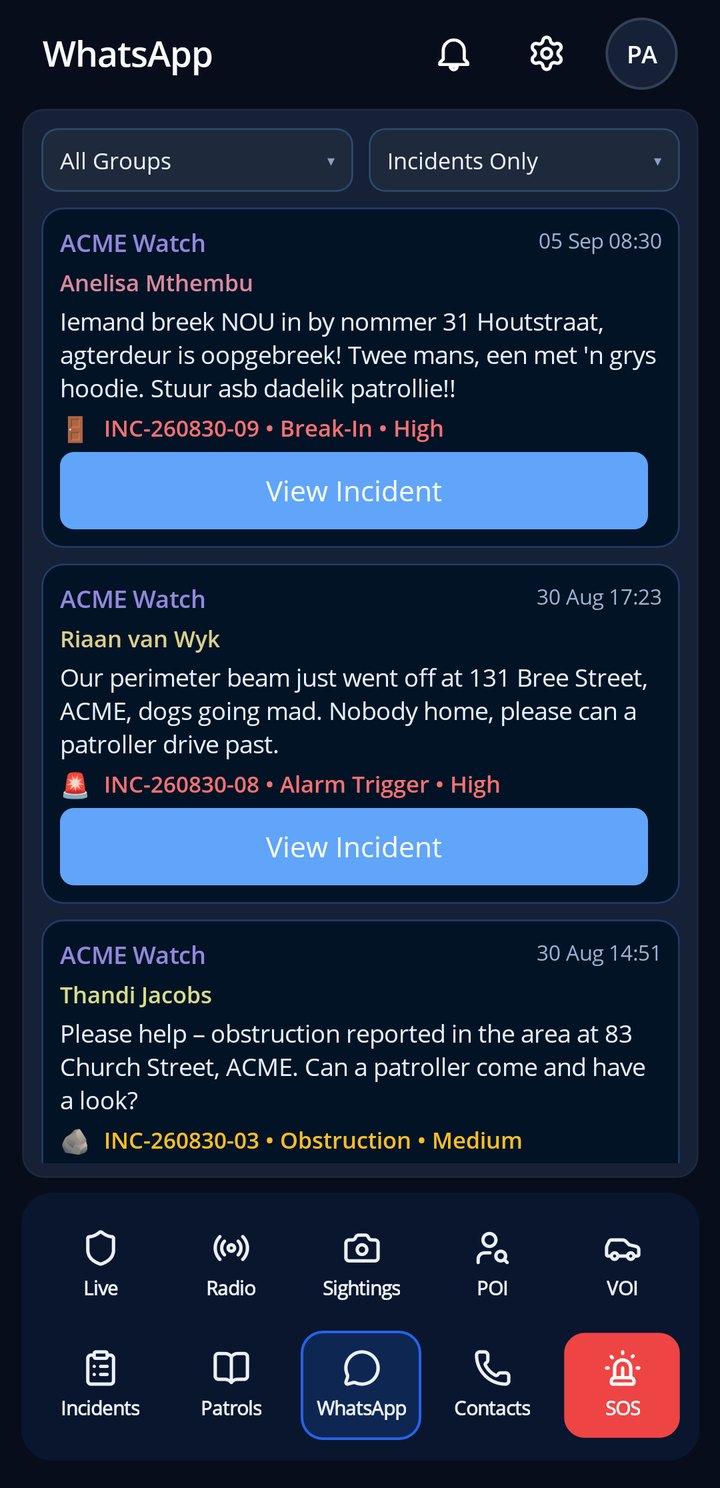
WhatsApp feed — reports straight from the group
WhatsApp feed
The SafeGrid app

WhatsApp feed

Reports from the community WhatsApp group, read by SafeGrid and linked to incidents, so nothing said in the group is lost.

  • Group messages become incidents where they should
  • Reporter matched by phone number
  • Photos and voice notes kept with the incident
WhatsApp — the group’s reports, already incidents
Incident — responders on scene, armed response linked
Incidents
The SafeGrid app

Incidents

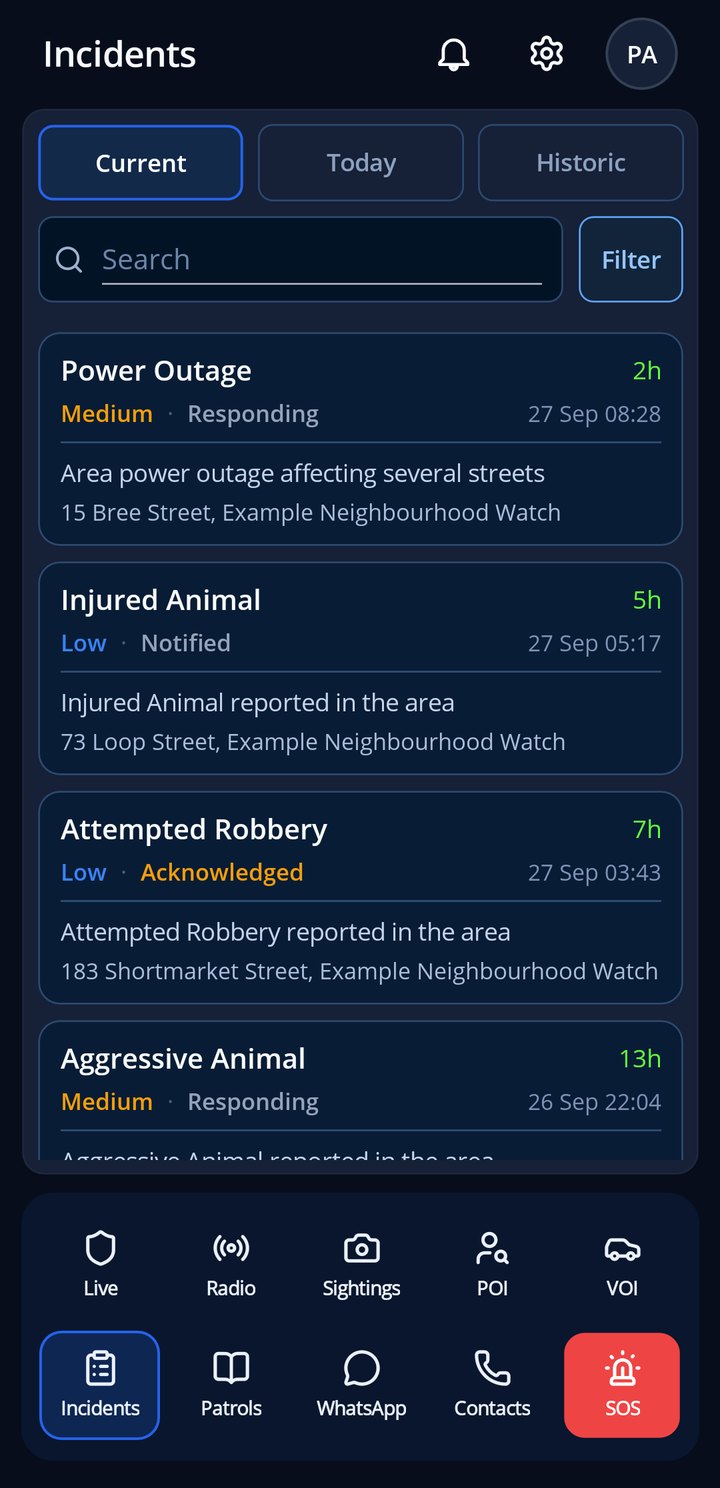
Every report on the site: current, today and history. Open one to see the pin, the photos, who is responding and the timeline.

  • Current, today and historic in one place
  • Pin, photos, responders and timeline per incident
  • Accept a dispatch straight from the alert
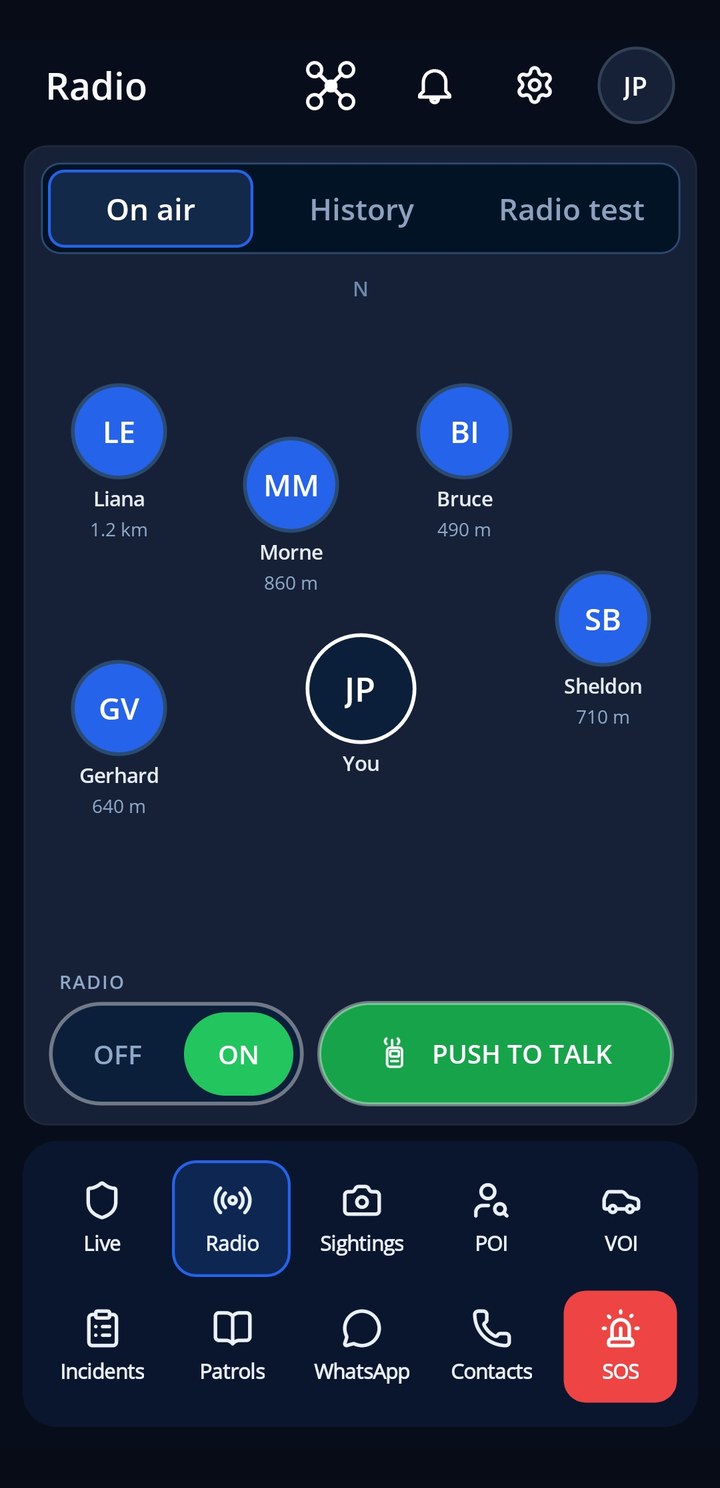
Incidents — current, today, historic
Drone control — fly, watch, record
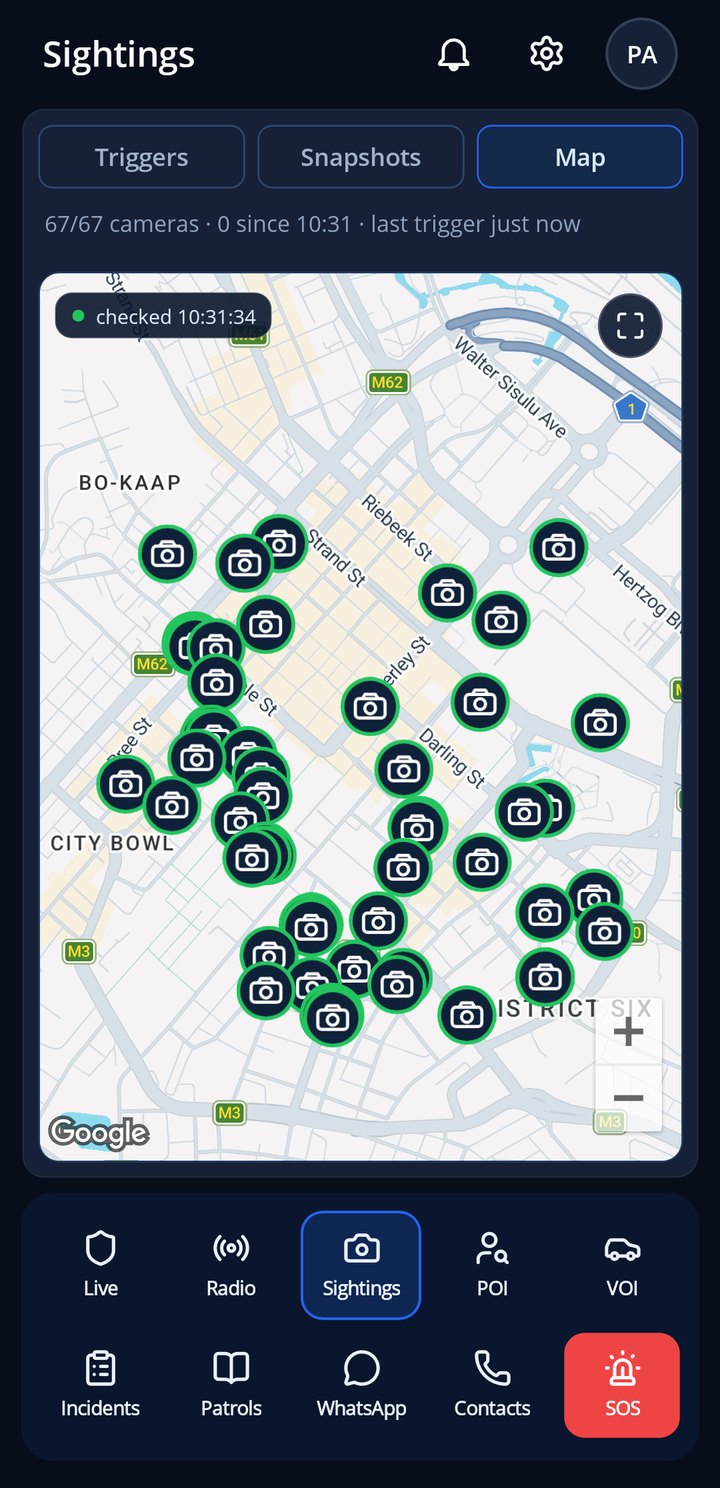
Camera wall — live stills from your CCTV
Radio
The SafeGrid app

Radio

A walkie-talkie for the whole team: press, speak, release. Transmissions are delivered to the people on duty and recorded for 24 hours.

  • Push-to-talk to everyone on duty
  • Recorded clips for 24 hours, then deleted
  • Works alongside the web control room
Radio — push to talk, every transmission recorded
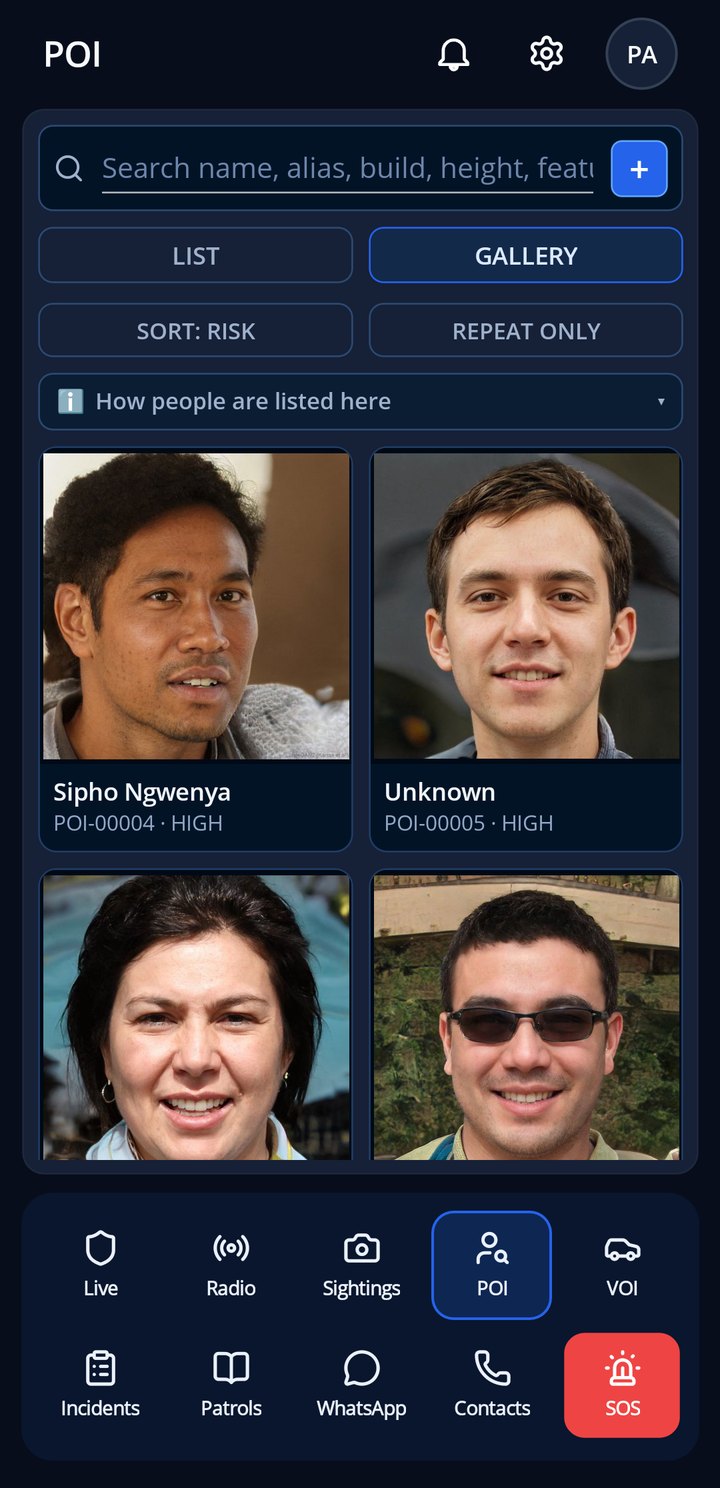
Persons of interest — photos and history
Patrol optimisation — where cover is thin, where crime is
Report in two taps
The SafeGrid app

Report in two taps

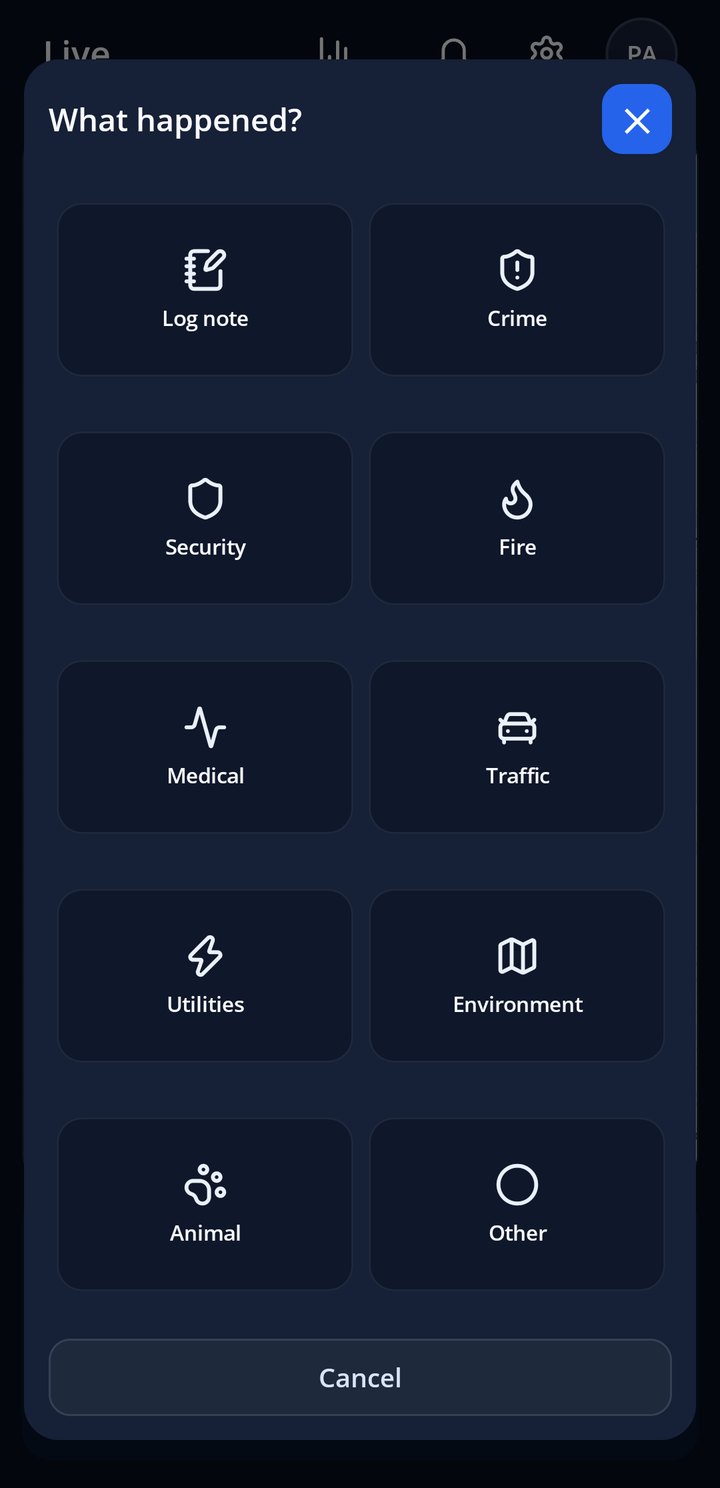
What happened, where, with a photo. The pin is placed for you, the control room sees it instantly and the AI review reads it before a person does.

  • Photo, category and location in seconds
  • Pinned automatically, corrected by you if needed
  • Instant in the control room and the feed
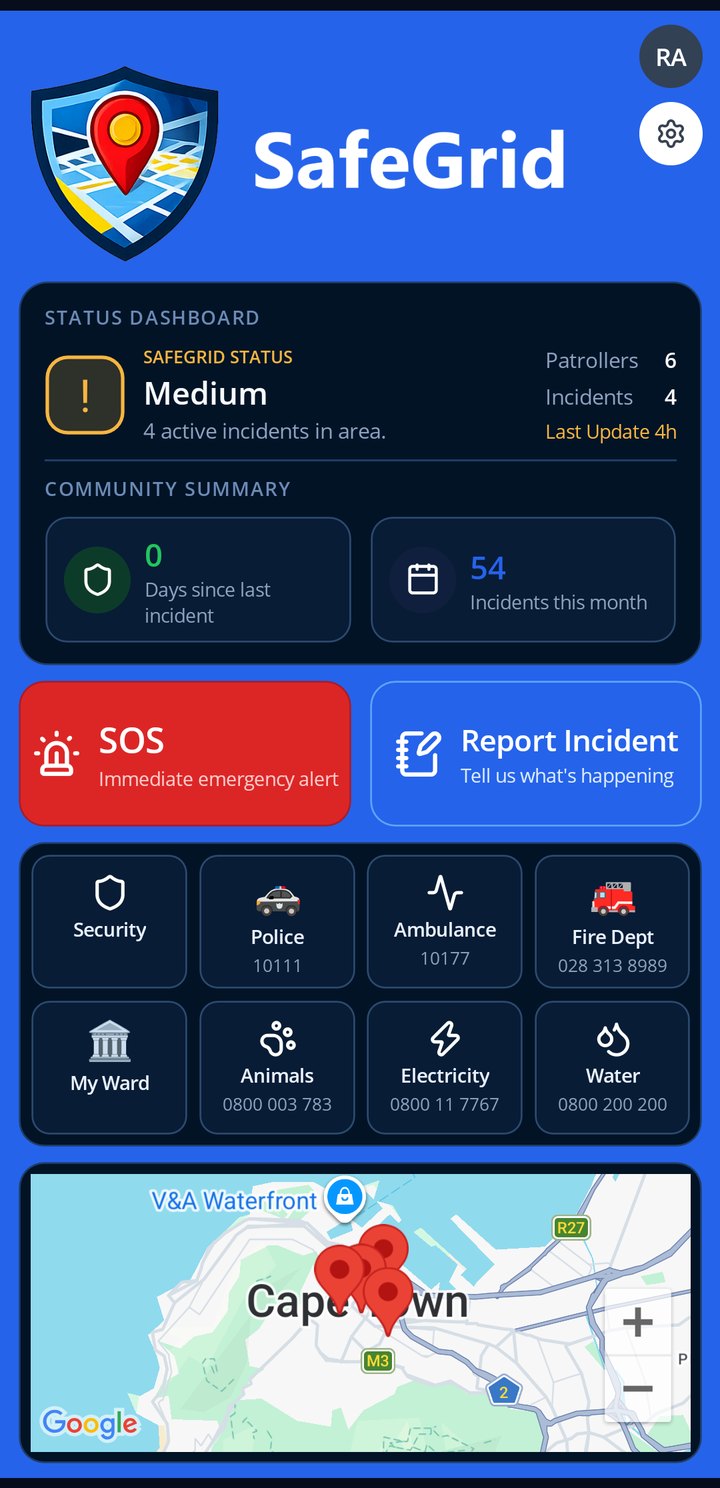
Report in two taps — what happened, where
Setup progress — from sign-up to live in minutes
Equipment register — radios, torches, kits, who has what
Log book
The SafeGrid app

Log book

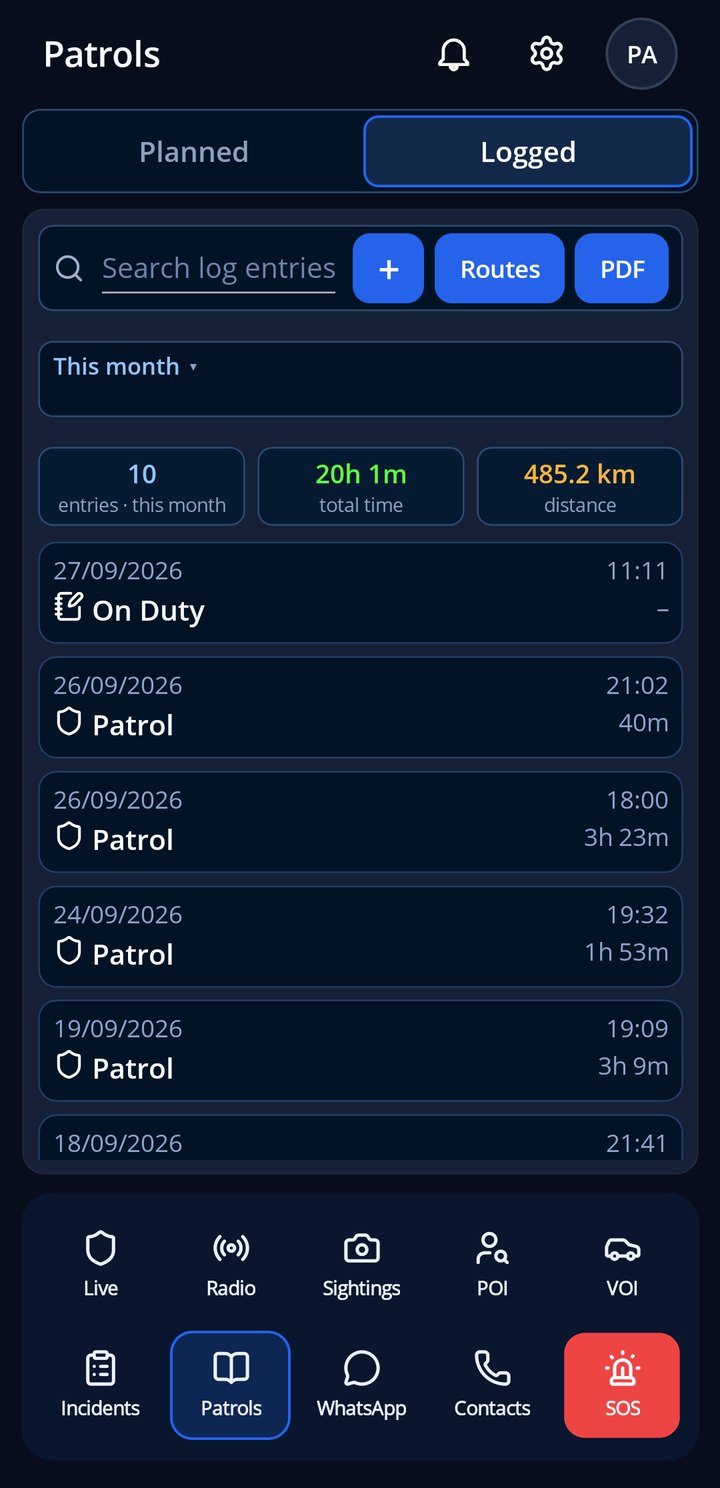
Patrol hours and kilometres are recorded automatically while you are on duty. No forms, no guesswork, and the monthly report writes itself.

  • Hours and kilometres captured automatically
  • Your patrols, your history, on your phone
  • Feeds the site report and patrol optimisation
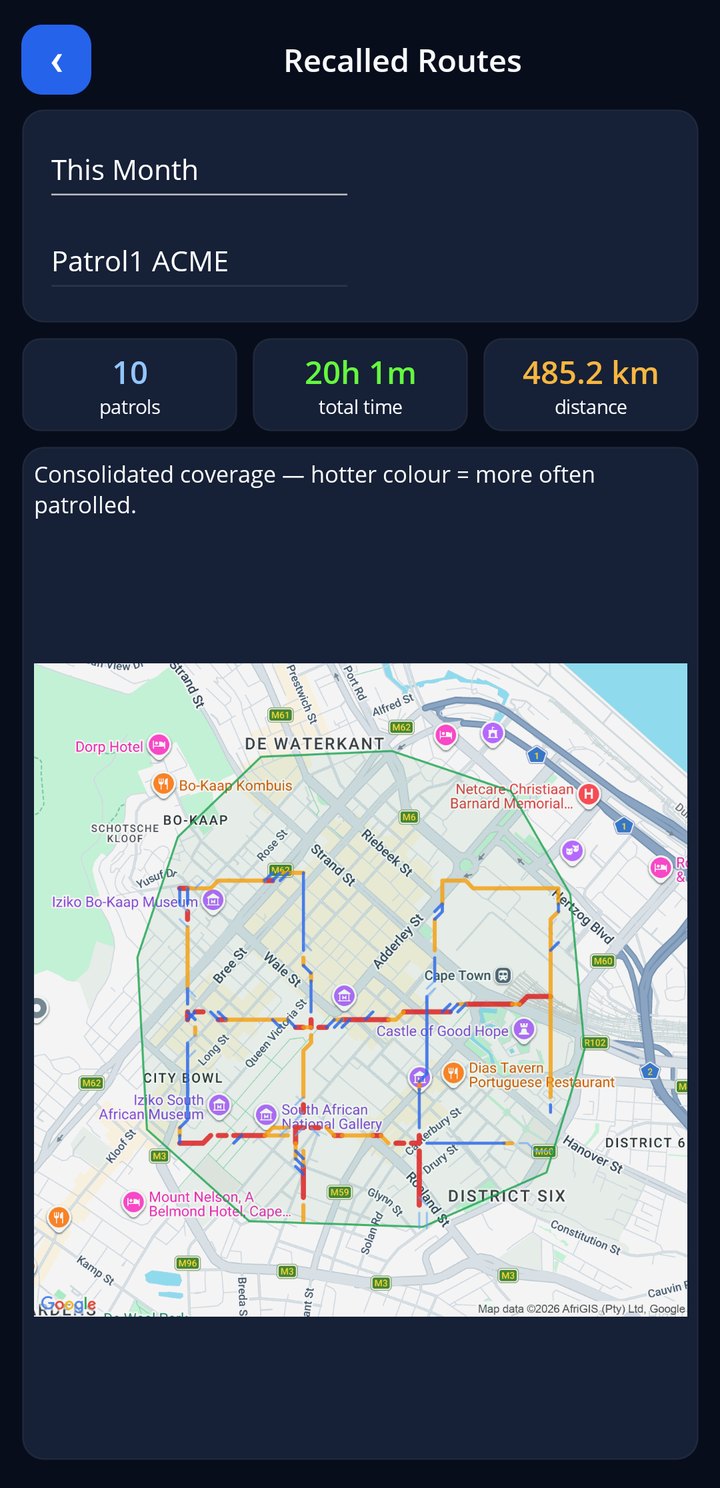
Log book — patrol hours and kilometres, automatic
Your profile — home, vehicles, ID card, history
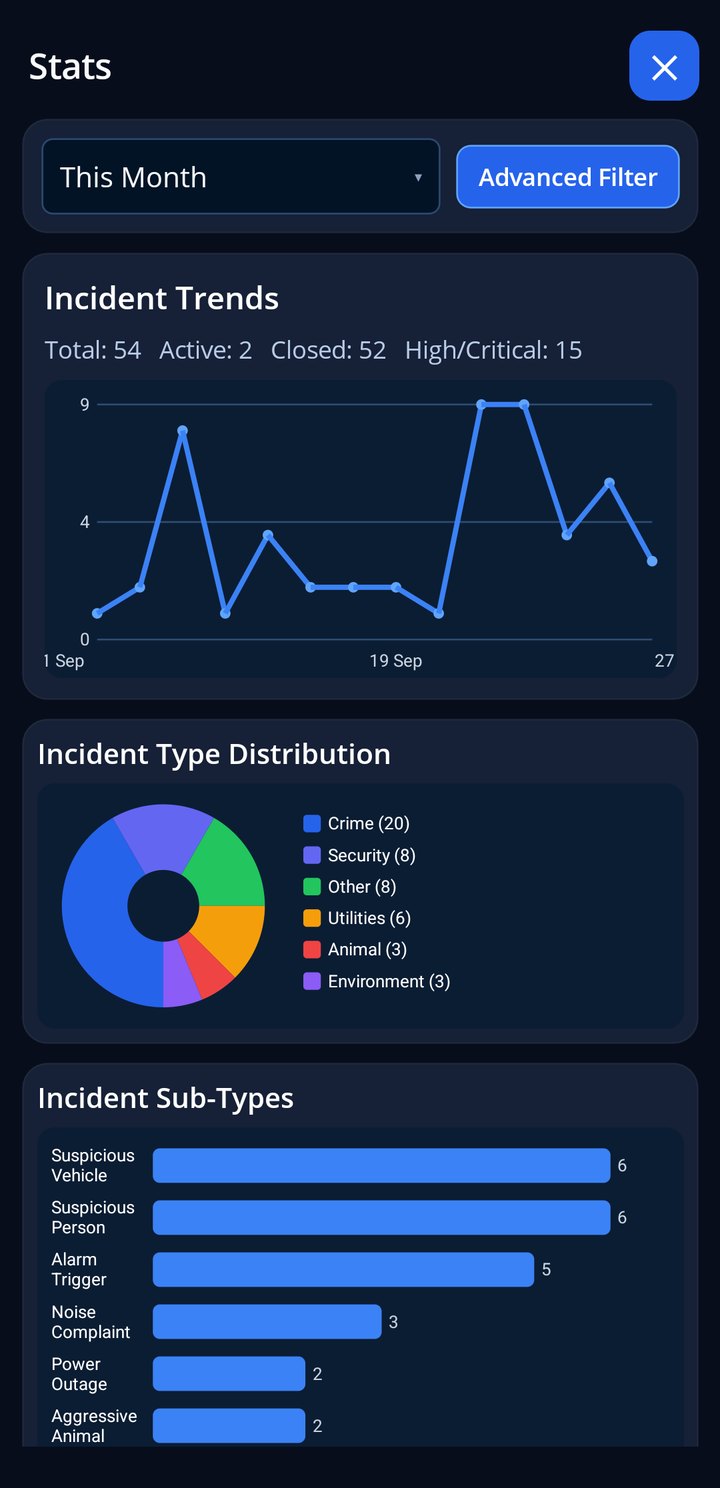
Stats
The SafeGrid app

Stats

The month at a glance: patrols, hours, incidents and response, for you and for the site.

  • Your patrols and hours this month
  • Site incidents by type and severity
  • Response times and coverage
Stats — the month at a glance

Everything Your Community Needs

A complete operating system for community safety — not just an app. Tap any card to learn more.

🗺️

Live Map & Control Room

The control room is the beating heart of SafeGrid. Controllers see every open incident, every patrol unit and every alert on one live map, with a dispatch console to assign responders, broadcast alerts and drive an incident from first report to resolution.

  • Live positions of every on-duty patroller
  • One-click dispatch with responder confirmations
  • Critical incidents always surface on top
  • Situation-room popups the moment something happens
📞

Emergency Contacts

Every community keeps its own emergency directory — local police, medical services, security companies, utilities and specialists — available to every member with one tap to call or WhatsApp, on web and mobile.

  • Per-community directory, managed by your admins
  • Tap-to-call and WhatsApp from any device
  • Categories for police, medical, rescue, utilities
  • Available offline in the mobile app
⚠️

Safety Tips & No-Go Zones

Share local safety knowledge where people will actually see it. Admins publish safety tips and draw no-go zones directly on the community map — members get an automatic alert when they enter a flagged area.

  • Draw zones on the map, no technical skills needed
  • Automatic proximity alerts for members
  • Safety tips feed on web and mobile
🔗

Visitor & Dependant Links

Not everyone needs an account. Generate a safe link for guests, children, staff or elderly relatives — they get one-tap SOS, medical and police alerts that land straight in your control room, with no app install and no sign-up.

  • One-tap SOS, medical and police alerts
  • No app, no account, no friction
  • Alerts flow into your control room like any other
  • Perfect for guest houses and B&Bs
👤

Persons of Interest

Keep institutional memory instead of losing it in chat history. The POI register holds photos, descriptions, vehicles and notes — and SafeGrid automatically links new incidents to known persons by name match at ingestion.

  • Photos, aliases, vehicles and notes per person
  • Automatic name-matching on every new incident
  • Incident history per person, in one place
📊

Analytics & Crime Stats

Turn activity into insight. Dashboards show incident trends, patrol coverage, hotspots and member activity — with exports your committee can hand to the police or funders without any manual spreadsheet work.

  • Incident heatmaps and trend lines
  • Patrol coverage and efficiency stats
  • Excel and PDF exports
  • Official police-coded crime listings where applicable
💬

WhatsApp Integration

Most communities already live on WhatsApp — SafeGrid meets them there. Connect your group and AI monitors it: genuine reports become incidents with severity, location and media attached; the reporter is matched to a member; and the control room lights up in seconds, without anyone changing how they report.

  • AI classification of group messages
  • Photos, voice notes and location captured
  • Voice notes transcribed, images read
  • Reporter matched to your member list
  • Nothing changes for your residents
📻

Two-Way Radio & Radio Log

Every phone becomes a radio. Push-to-talk connects on-duty members and the control room on one channel, shows who's talking, and records transmissions to a rolling 24-hour radio log so a missed call-out can be replayed instead of repeated.

  • Push-to-talk on web and mobile
  • Live "who's talking" indicators
  • 24-hour recorded radio log with playback
  • Radio bulletins with delivery receipts
🔦

Coordinated Search

When minutes matter, SafeGrid turns responders into a search party. It projects how far the subject could have travelled since the incident — on foot, running, cycling or driving — and lays a labelled search grid over the area. The first responder holds the scene; every other responder is assigned their own cell with one-tap navigation to it.

  • Travel-reach radius that grows in real time
  • Automatic grid cells as responders acknowledge
  • Scene commander stays with the caller
  • Each searcher navigates to their own cell
🤖

AI Incident Review

Every incoming report gets an AI first-pass: severity graded, category assigned, names, vehicles, times and locations extracted, and a suggested response for the controller. Photos are read too — a break-in photographed is a break-in captured.

  • Automatic severity and categorisation
  • Detail extraction from text, voice and images
  • Suggested response per incident
  • One-click AI reclassification with preview
🎥

AI CCTV Integration

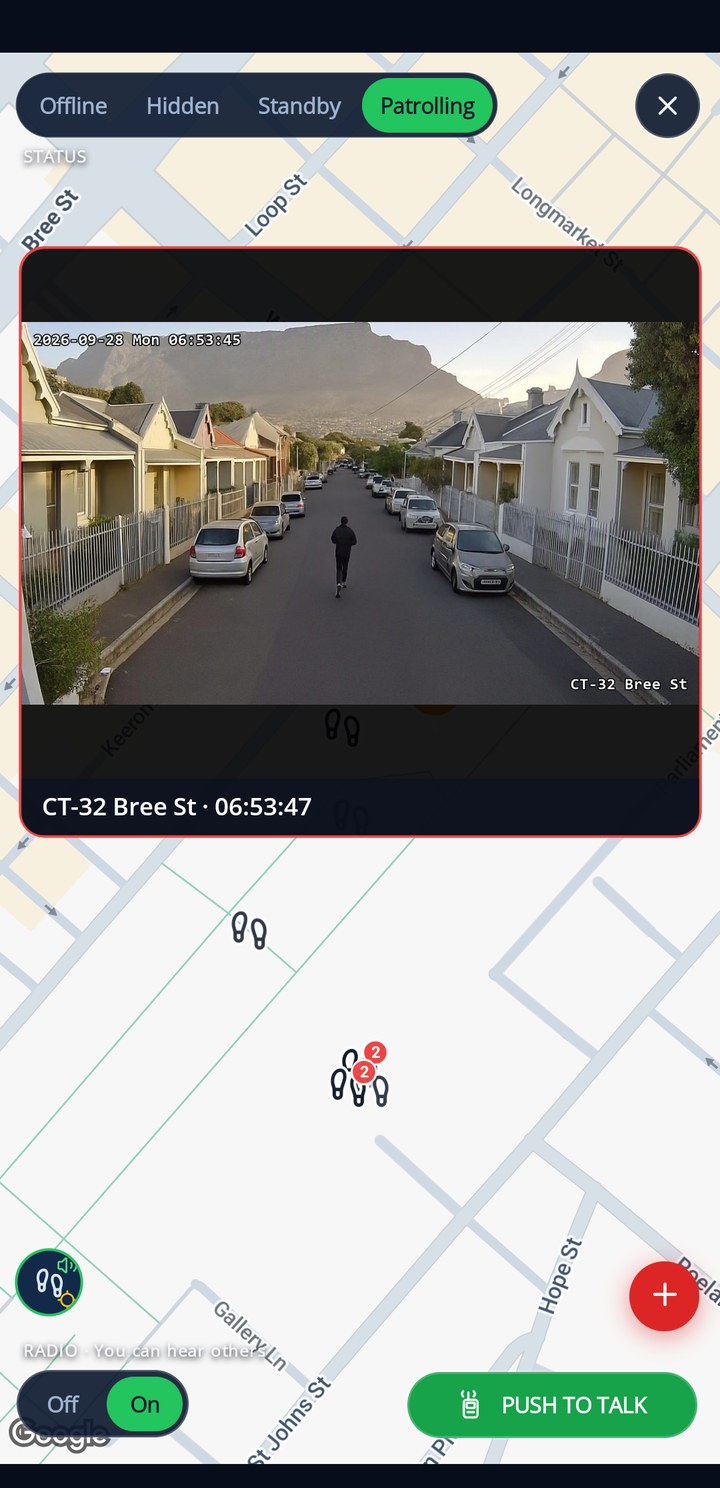
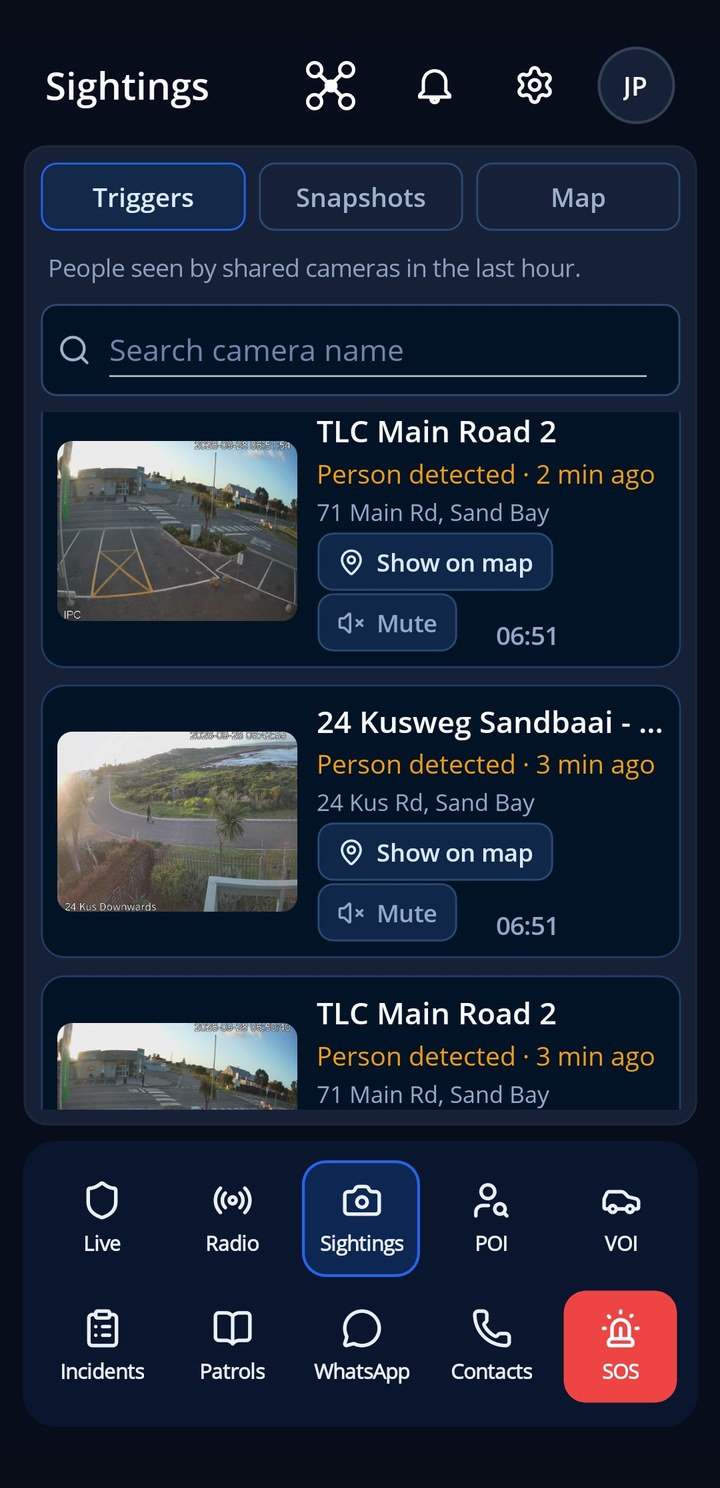
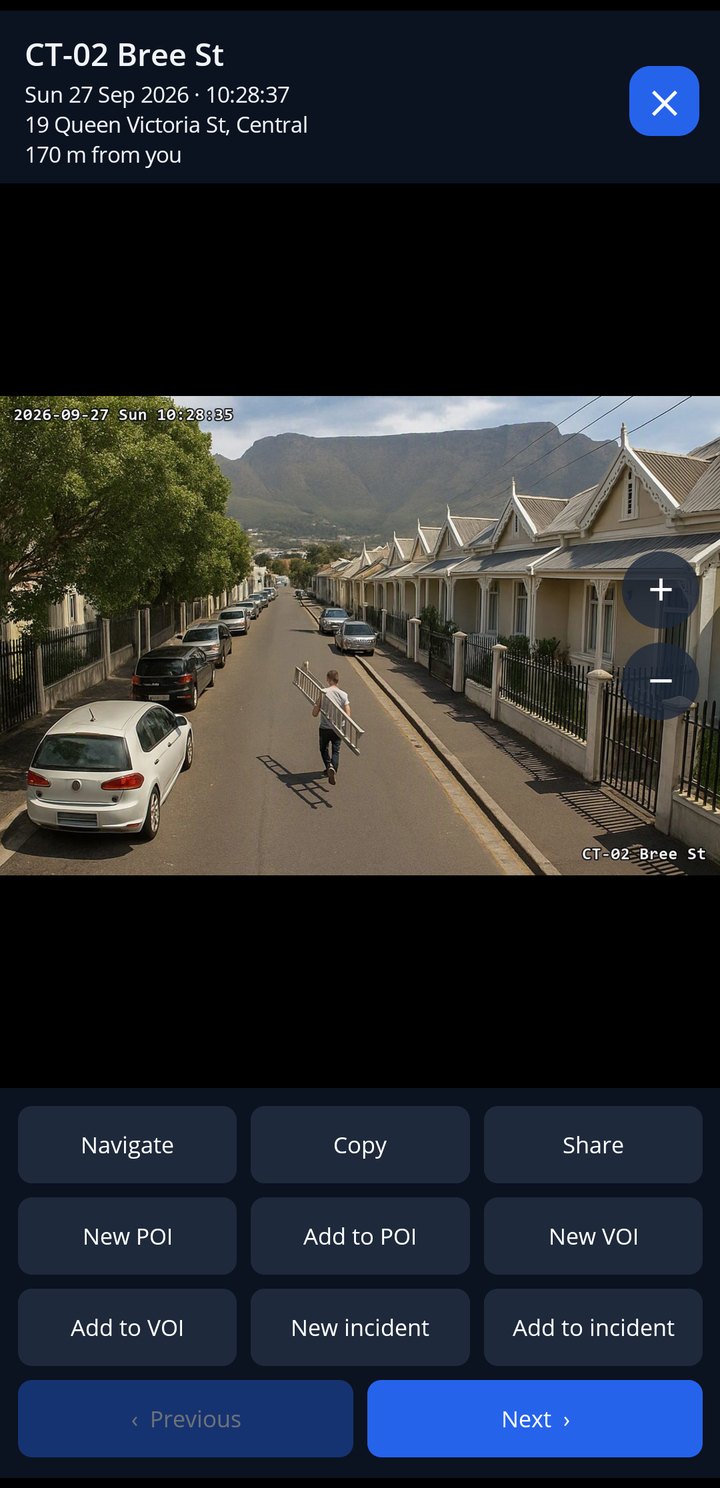
Bring your existing cameras into the network. Person, vehicle and tripwire detections can raise incidents automatically with a snapshot attached, and nearby cameras are suggested the moment an incident opens. Video stays on your local network — SafeGrid orchestrates, it never pipes your footage through the cloud.

  • AI detections raise incidents with snapshots
  • Nearby-camera suggestions on every incident
  • Per-camera alarm policies and schedules
  • Streams stay on your local network
🛩️

Drone Operations

SafeGrid treats drones as first-class responders. Fly missions from the drone console, watch the live position on the ops map, and dispatch a drone to an incident for immediate eyes-on while ground units are still en route.

  • Drone-to-incident dispatch
  • Live flight tracking on the ops map
  • Fleet register with flight logs
  • Scheduled patrol missions
🧭

Patrol Optimisation

SafeGrid compares actual patrol coverage against incident hotspots and tells you, street by street, where to increase presence and where effort is being spent on quiet zones. The same view exports as a PDF for your next planning meeting.

  • Coverage measured from real GPS patrols
  • Hotspot vs patrol mismatch map
  • Street-level increase/hold recommendations
  • PDF export for planning meetings
📒

Digital Log Books

Patrol shifts write themselves into the log book: start and end times, distance travelled, vehicle used, and any notes. Manual entries are supported too, and the whole book filters by member, vehicle and date with one-click Excel export.

  • Automatic entries from live patrol tracking
  • Kilometres and duration recorded per shift
  • Filter by member, vehicle, source or date
  • Calendar view and Excel export

Comms Checks

A radio you haven't tested is a radio you don't have. SafeGrid runs radio checks across the on-duty team and shows exactly who received and acknowledged, so the controller starts every shift knowing the net is up.

  • One-tap radio check to the whole shift
  • Per-member delivery and acknowledgement
  • Reachability status on every surface
🗓️

Shifts, Rosters & Roll Call

From planning to accountability in one flow: build shift templates and rosters, run a formal roll call at shift start, and let live duty tracking record who was actually on the ground versus who was planned.

  • Shift templates and recurring rosters
  • Formal roll call with attendance
  • Live on-patrol panel for informal shifts
  • Duty history per member
🤝

Meeting Management

Set up your monthly committee or community meeting once and SafeGrid handles the rhythm: recurrence, reminders to the right people, and attendance recorded against members.

  • Recurring meeting schedules
  • Automatic reminders to members
  • Attendance tracking
📄

Reports & AI Summaries

Reporting that used to take a weekend now takes a click. Generate branded PDF site reports with maps, patrol statistics and incident breakdowns; let AI draft the management summary from your real numbers; and produce shareable publicity cards for your community channels.

  • Branded PDF site reports with maps
  • AI management summaries from real statistics
  • Publicity cards for social sharing
  • Excel exports throughout
🪪

ID Card Designer & Printing

Give your members credibility at the gate. The card designer lays out your branding, member photo, role and details; print individual cards or full batches, ready for lamination.

  • Drag-and-drop card designer
  • Member photos and roles pulled automatically
  • Batch printing for the whole team
🎨

Custom Branding

SafeGrid wears your identity, not ours. Each community sets its own logo and colour palette, and the mobile app, web portal, ID cards, publicity cards and PDF reports all follow — so members see their organisation, professionally presented.

  • Full colour palette per community
  • Logo on app, web, cards and reports
  • Per-branch branding for multi-site organisations
🔐

Armoury & Weapon Register

For organisations that carry, accountability is everything. The armoury module registers each weapon, records every issue and return against a member, and keeps the audit trail your compliance officer actually needs.

  • Serial-numbered weapon register
  • Issue and return signed against members
  • Full movement history per weapon
🎒

Equipment & Kit Issue

Stop losing kit between shifts. Build your equipment catalogue, define the standard kit per role per shift, and track issues and returns so the 02:00 patrol never leaves without a charged radio again.

  • Equipment catalogue with quantities
  • Standard kit matrix per role and shift
  • Issue and return tracking
🚗

Fleet & Vehicles

Track the wheels of the operation. Register community vehicles and member vehicles, link them to patrol shifts and log-book entries, and see utilisation per vehicle over time.

  • Community and personal vehicle registers
  • Vehicle linked to every patrol log
  • Utilisation visible per vehicle
🏢

Multi-Branch Organisations

Built multi-tenant from day one. A security company, federation or umbrella body runs many sites under one organisation: group-level dashboards and reporting across all branches, while each site keeps its own members, branding and data. Area roll-ups combine adjacent sites' picture without double counting.

  • Unlimited sites under one organisation
  • Cross-site dashboards for coordinators
  • Per-site data sovereignty and branding
  • Area-level crime roll-ups
🤝

Cooperation between watches

Crime does not stop at a suburb boundary, so neither should the watch. A site can offer neighbouring watches a cooperation link, and each side chooses what it shares: incident alerts, persons and vehicles of interest, patrol availability, radio, or equipment on loan. Nothing crosses the boundary without both committees consenting, and either side can withdraw at any time. Each site keeps its own data, members and reports.

  • Consent on both sides, revocable at any time
  • Choose what to share: alerts, POI/VOI, patrols, radio, resources
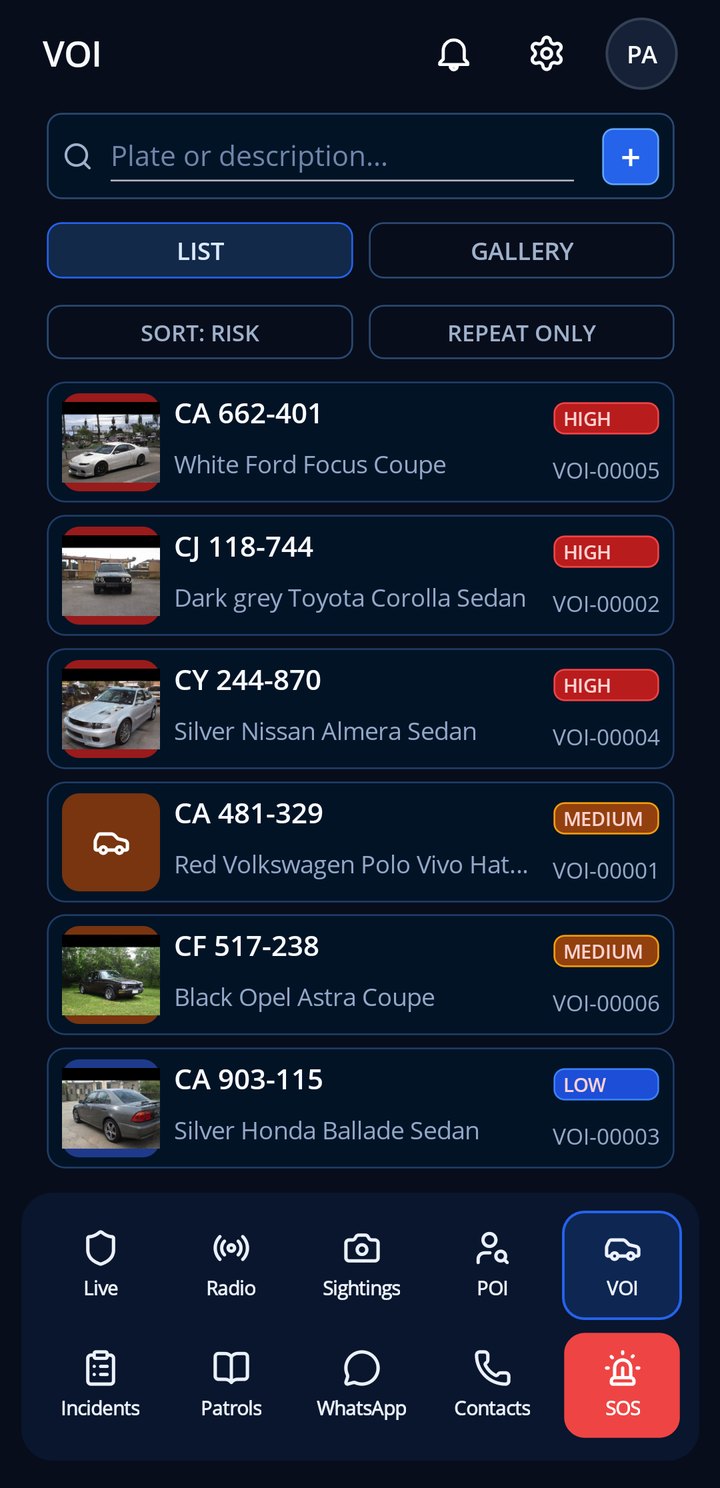
  • A vehicle flagged in one suburb is known in the next
  • Each site keeps its own data and reports

Built for Everyone in the Community

SafeGrid delivers a tailored experience for each role — from residents to coordinators.

SafeGrid — a full run-through of the system
🏨

Running a Guest House or B&B?

Give every guest a simple, one-tap safety link when they check in. No app download. No account. Just immediate access to emergency help from within your community's network. Their alerts go straight to your control room.

See How It Works
On the phone — the team map in a patroller's pocket
SafeGrid on your phone

A Full Native App for iOS & Android

SafeGrid is available as a full native mobile app for patrollers and residents. Real-time incident feeds, live map, walkie-talkie mode, duty status, SOS panic, and push notifications — all in one app that works offline too.

  • 🆘
    SOS and live locationOne press sends your position to the people on duty. A browser tab cannot do that.
  • 🔔
    Alerts that reach youIncidents, dispatches and panic calls arrive as push notifications, even with the screen off.
  • 📻
    Radio, patrols and reportingTalk to the team, log your patrol and report with photos in seconds, with data used sparingly.
Download on the App Store Direct download - Android APK

iPhone and iPad from the App Store. Android installs directly from us while our Google Play listing is in review.

See every app screen →
GET STARTED TODAY

Bring Your Community Online

Join the communities already using SafeGrid to coordinate patrols, manage incidents, and keep residents safe.

An unhandled error has occurred. Reload 🗙