Everything a patroller or resident needs, in one app.
Real screens from the SafeGrid app on Android and iOS. The same live grid as the control room, built for a phone in a pocket: one-tap SOS, the team map, radio, reporting with photos and an automatic patrol log book.
🗺️
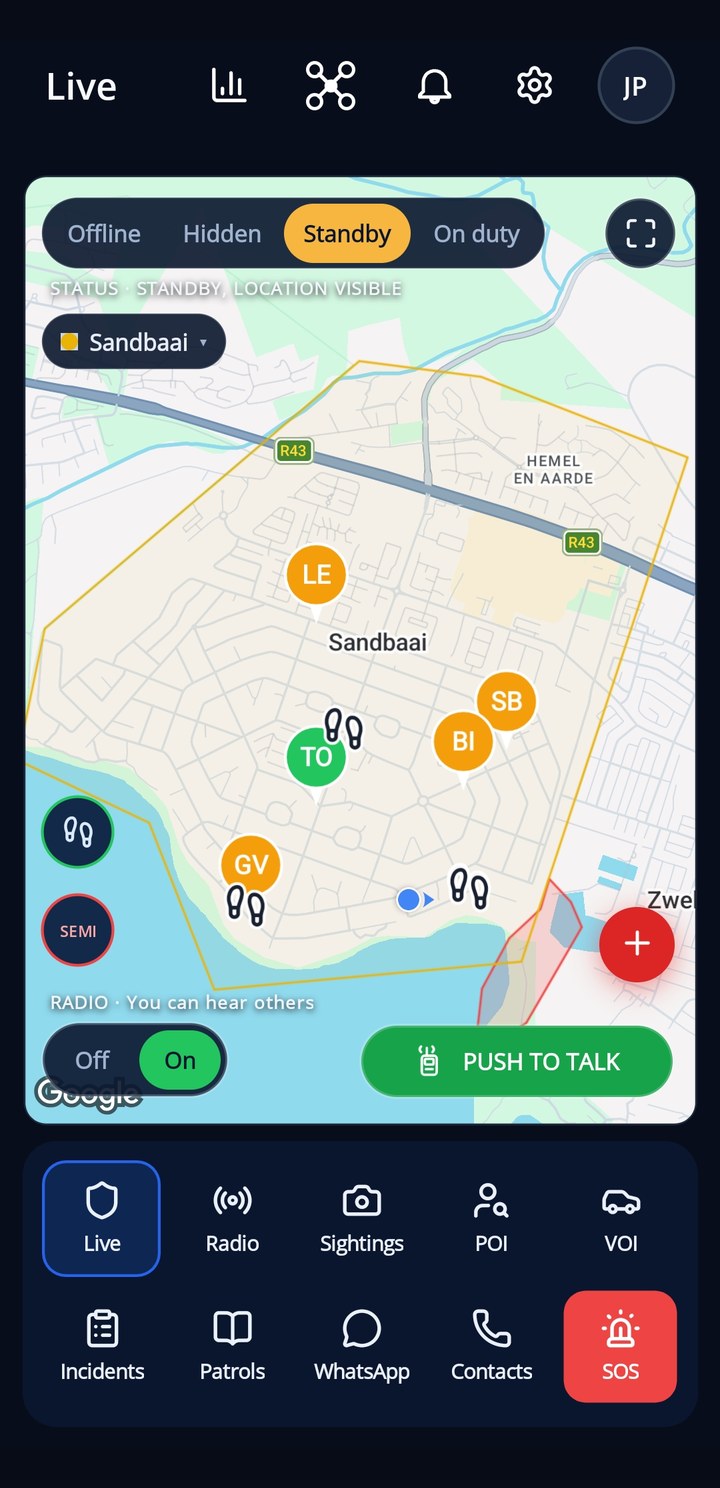
Patrol map
Who is on duty and where, the site boundary, named places and no-go zones, live on the map. Set your own status with one tap: offline, hidden, standby or patrolling.
Live positions of every on-duty patroller
Boundary, places and no-go zones drawn on the map
Your status in one tap, respected by everyone
Data used sparingly, works on a weak signal
👣
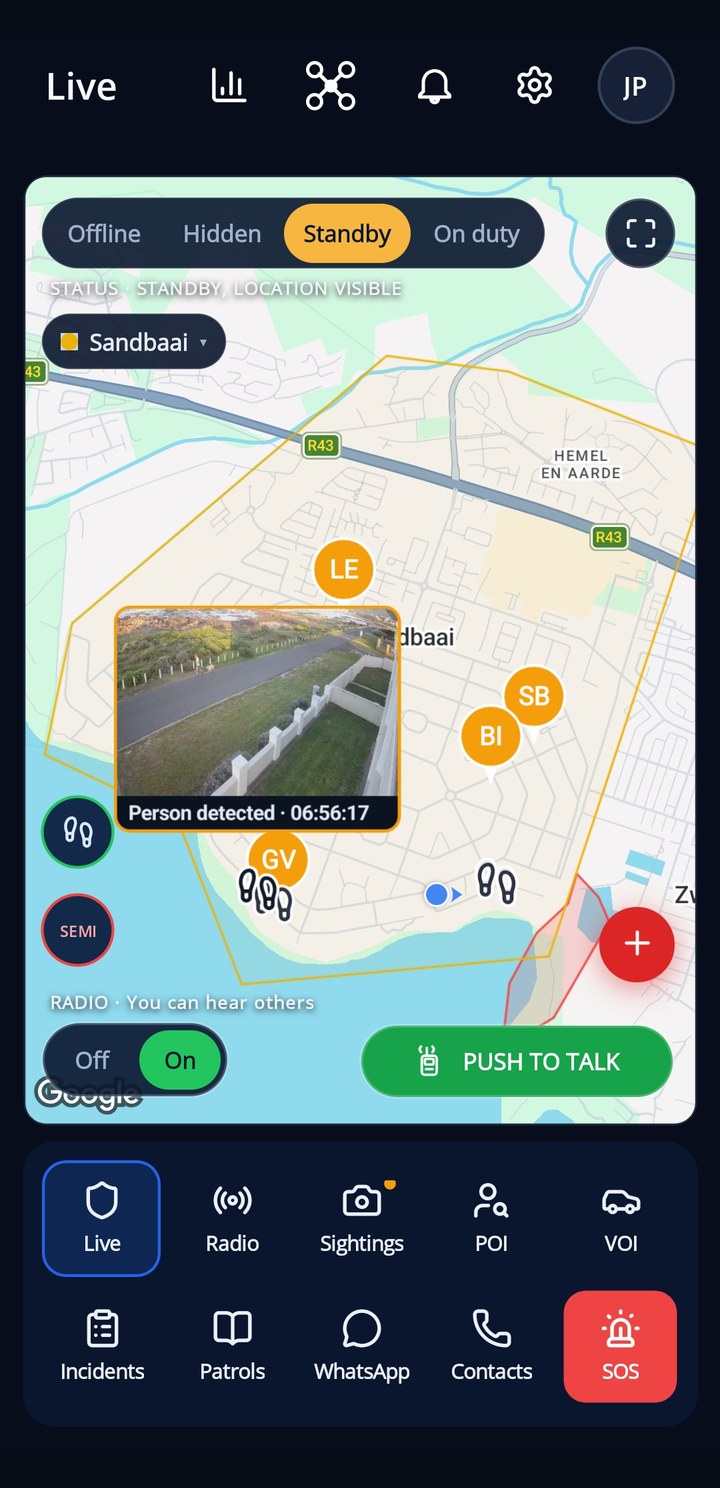
Footprints on the map
When a shared camera sees someone, a footprint appears on the Live map where they walked past, and the camera's picture pops up over it. The trail fades over three minutes, so you can see which way they went.
A footprint at every camera that saw a person
The camera's picture pops up over the map
Silent, or with a short beep
Fades after three minutes, so the trail shows the direction
🎯
Full screen with auto-focus, made for the car
Mount the phone on the dashboard in landscape and patrol hands-free. Every person the cameras detect fills the screen with the camera's picture, the map beside it keeps the footprints, and one tap navigates you straight to where they were seen.
Built for in-car patrols: phone on the dash, sideways
Hands-free: new sightings come to you, big and easy to read
One tap to navigate to the camera that saw them
Switches on by itself in full screen, your own setting comes back after
📷
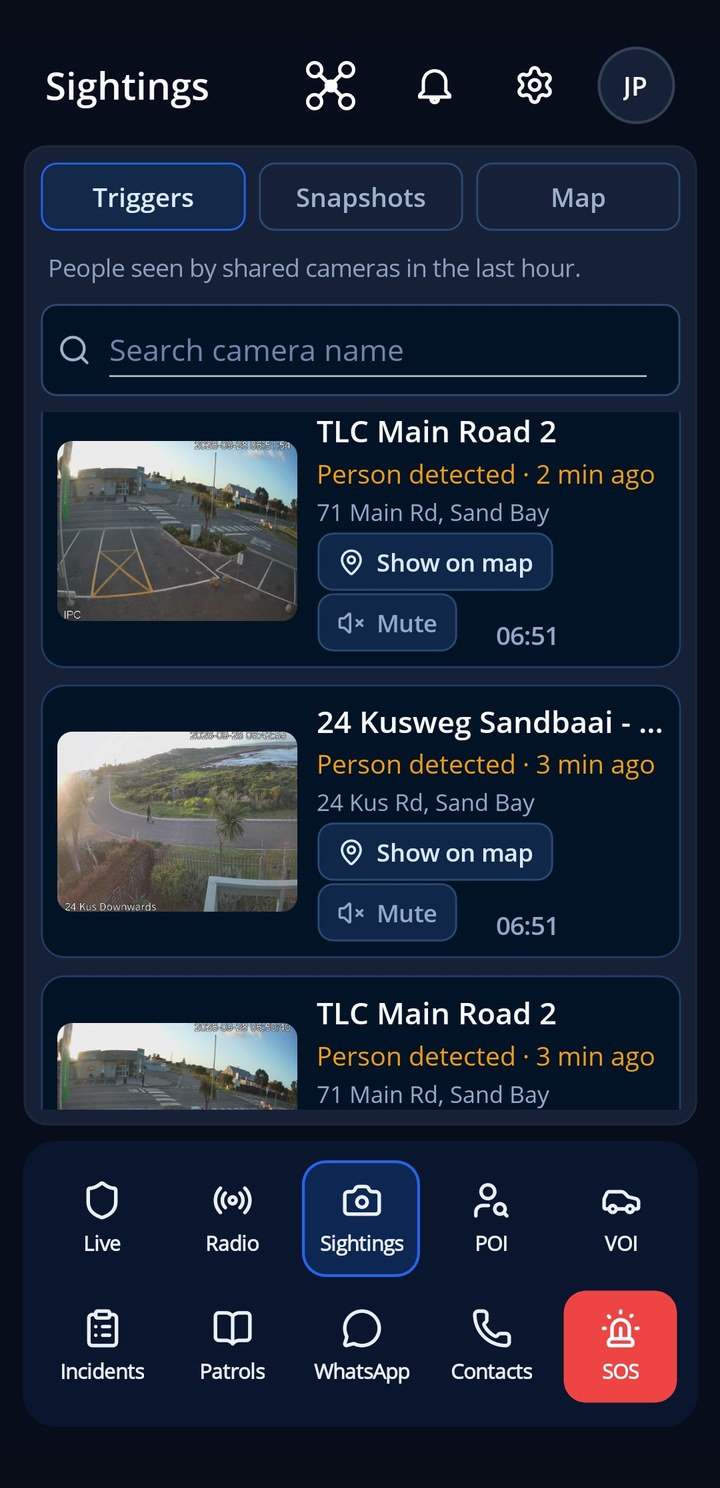
Sightings
Everyone the site's shared cameras saw in the last hour, newest first, with the picture, the camera and the nearest address.
Picture, camera, address and time for every sighting
Show on map in one tap
Mute a busy camera just for yourself
Snapshots and a camera map on the same page
🖼️
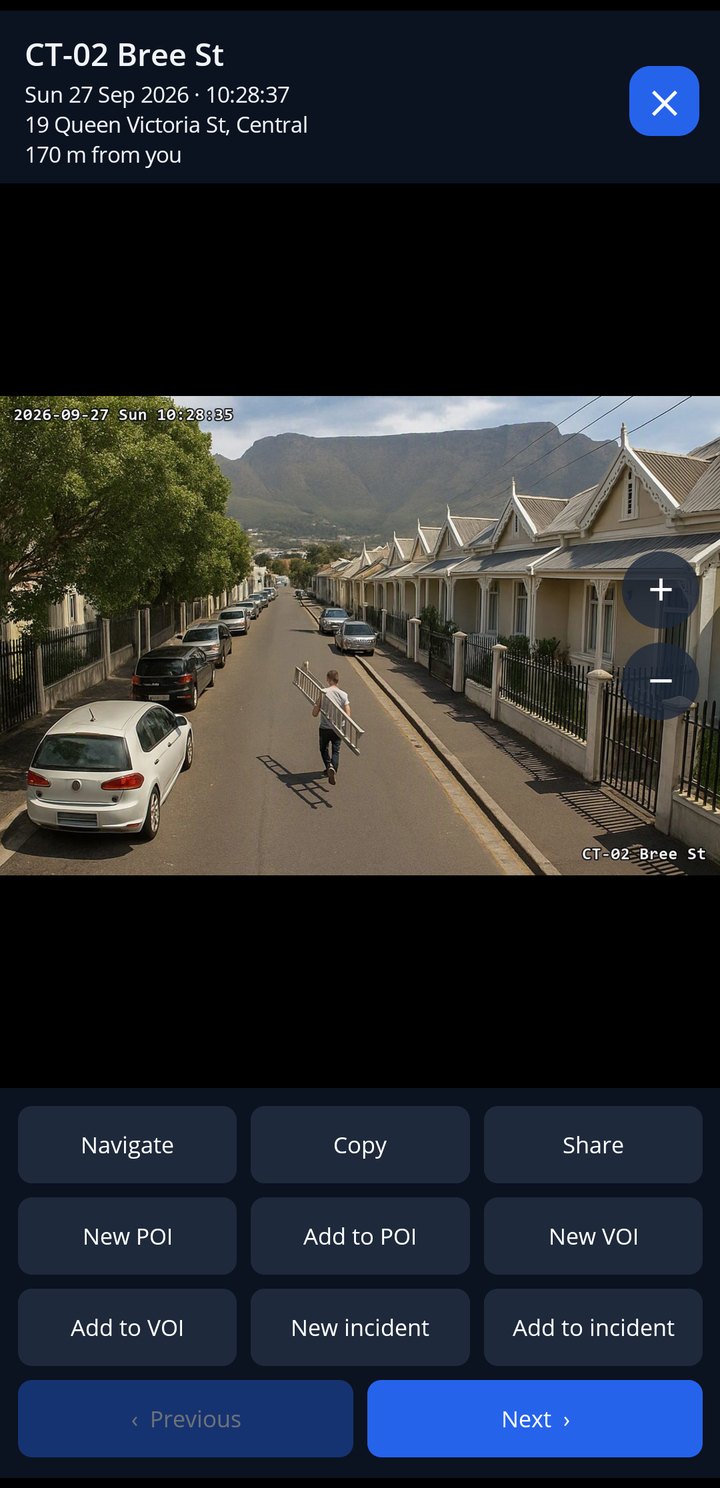
From picture to action
Open any sighting to see the full picture, the camera, the address and how far it is from you. One tap turns it into a person or vehicle of interest, or an incident.
Navigate to it, copy or share the picture
New POI or VOI straight from the picture
Add it to an incident that is already open
Step through sightings with Previous and Next
📍
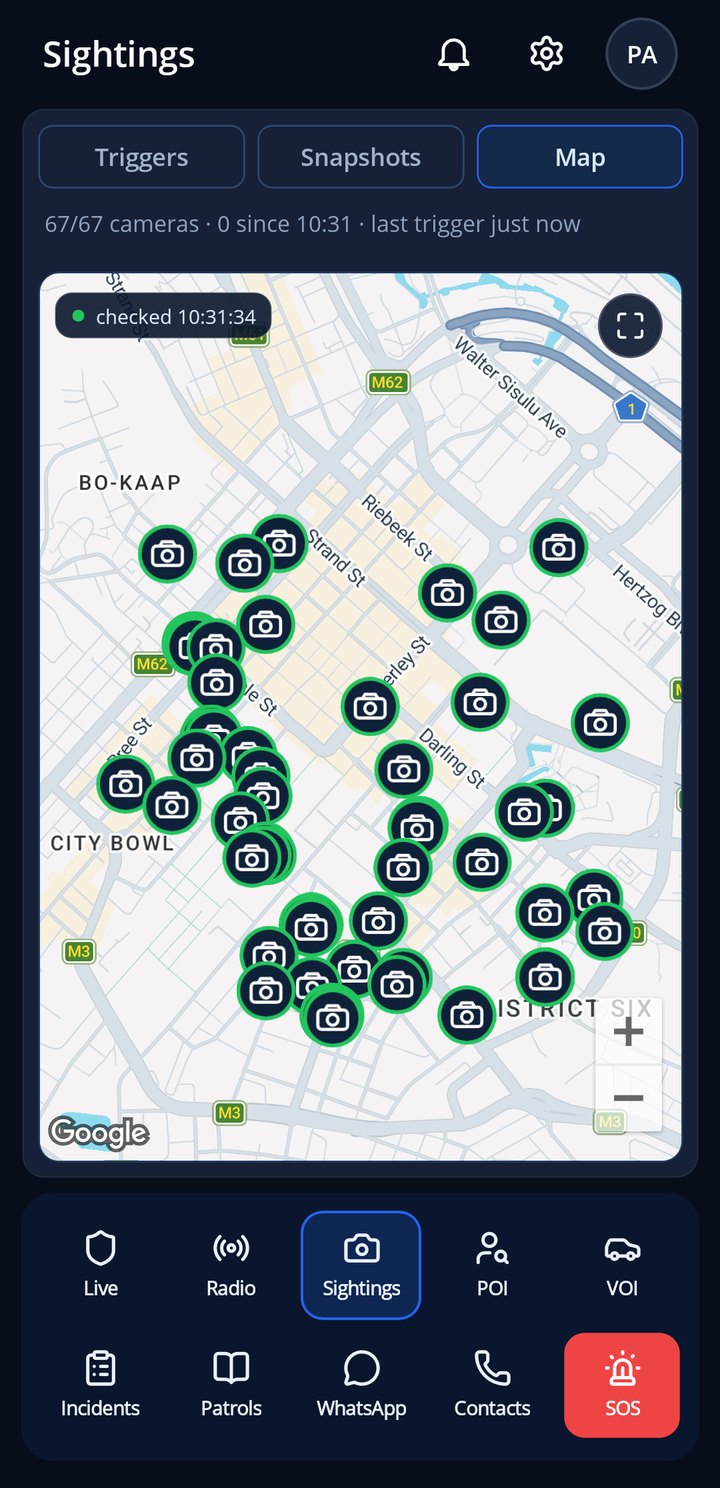
Camera map
Every shared camera on the site on one map, with how many are online and when the last one sent a picture.
All shared cameras on one map
Cameras online and the last trigger at the top
Full screen for the big view
🧩
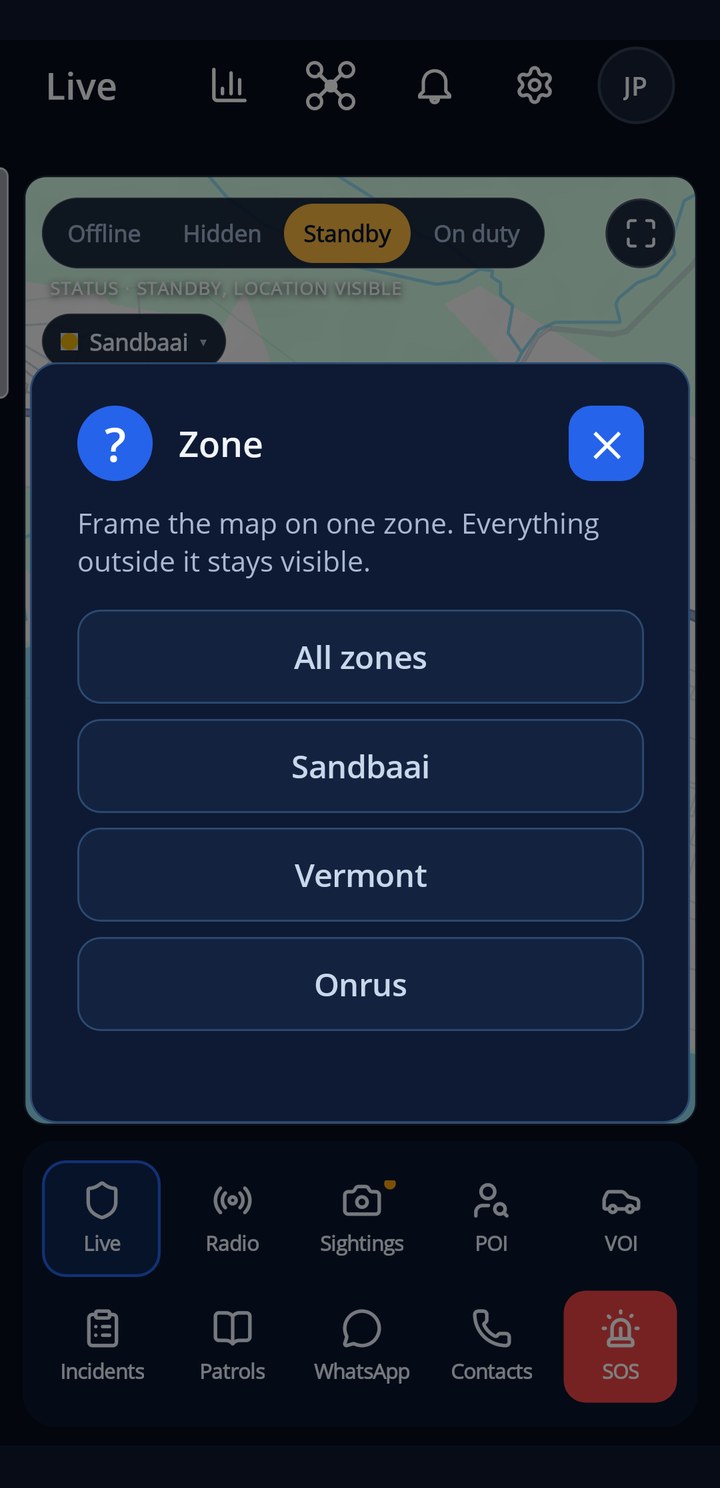
Zones
Big sites are split into named zones. Pick one and the map frames it, with everything outside still visible. Your admin decides which zones you cover and where your map opens.
Named, coloured zones on the map
The picker only shows when you cover more than one zone
Opens on your default zone
The zone name on incidents and alerts
👤
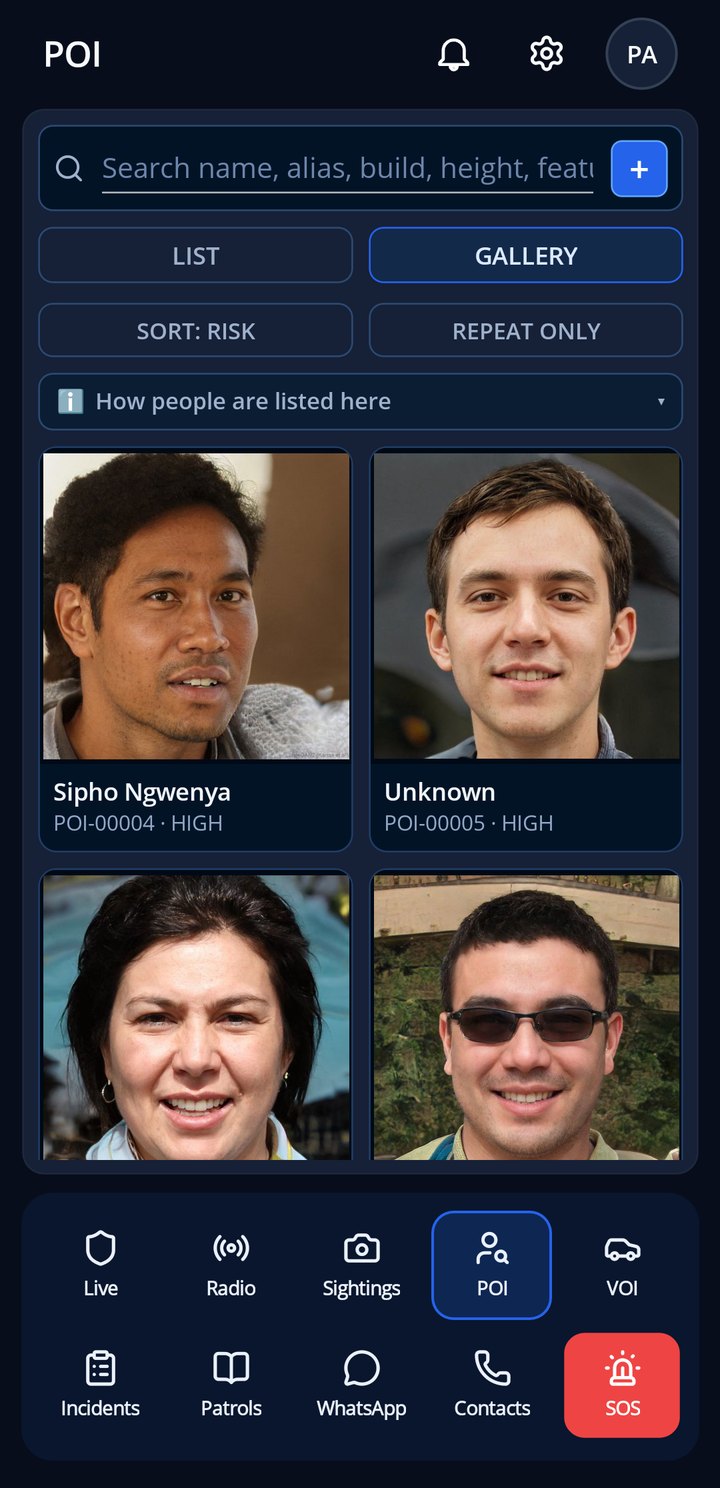
Persons of interest
The people your team needs to recognise, with photos, risk level, aliases and a description. Search by name, alias, build or height.
List or photo gallery
Sorted by risk, with a repeat-offender filter
New reports that match a known person are linked for you
Sensitive records only reach members with the right access
🚗
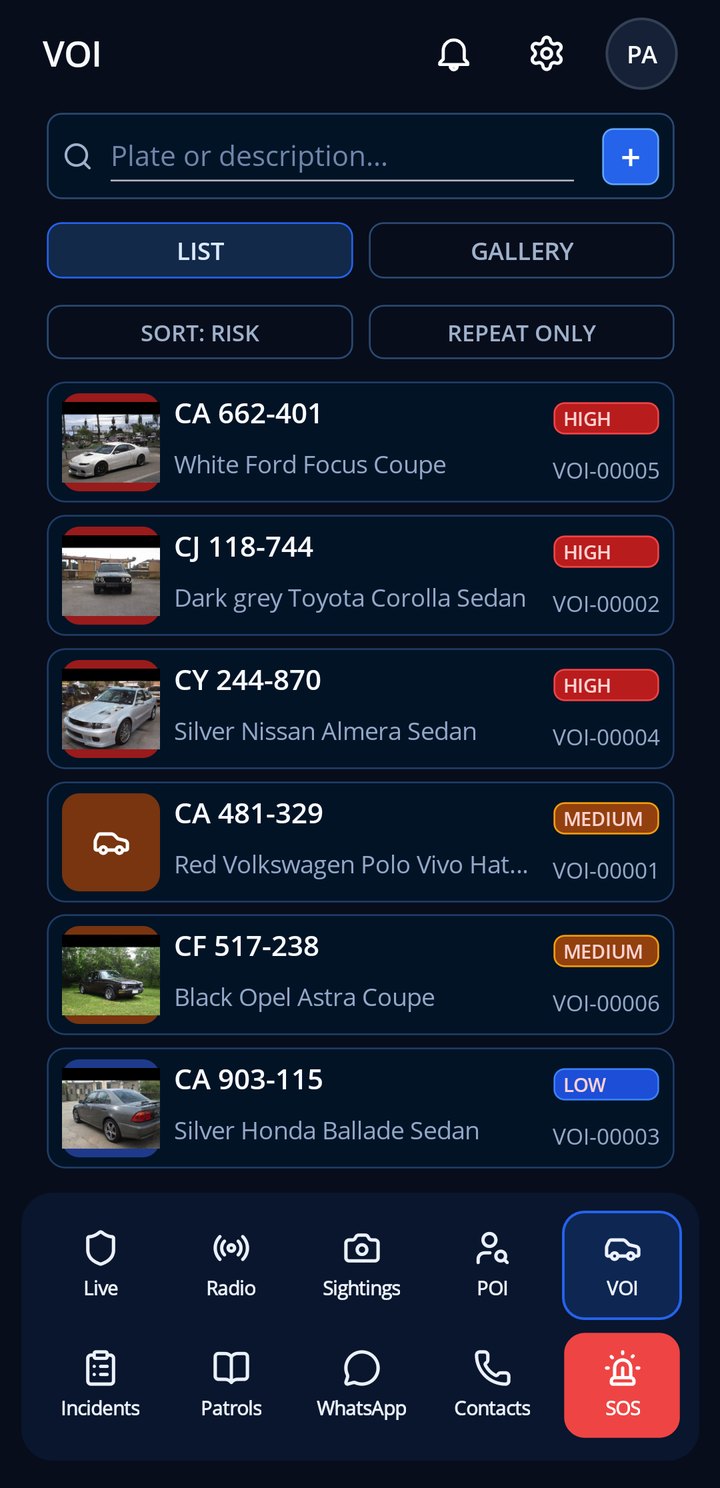
Vehicles of interest
Plates to look out for, with photos, make, model and colour. Search by plate or description, and log a sighting where you saw the vehicle.
Search by plate or description
A risk level on every vehicle
Log a sighting or an incident from the vehicle
Every sighting kept with its place and time
⚠️
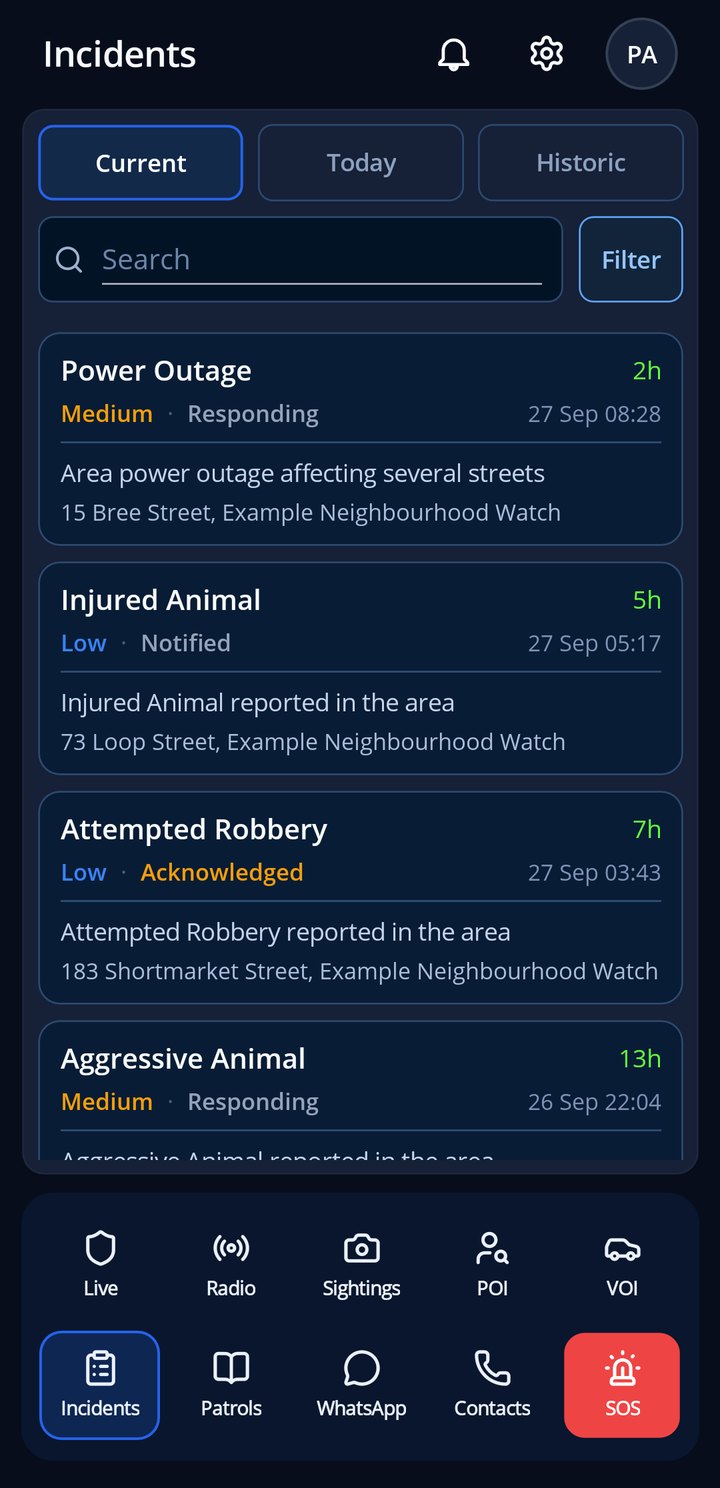
Incidents
Every report on the site: current, today and history. Open one to see the pin, the photos, who is responding and the timeline.
Current, today and historic in one place
Pin, photos, responders and timeline per incident
Accept a dispatch straight from the alert
Filtered to what matters to you
📻
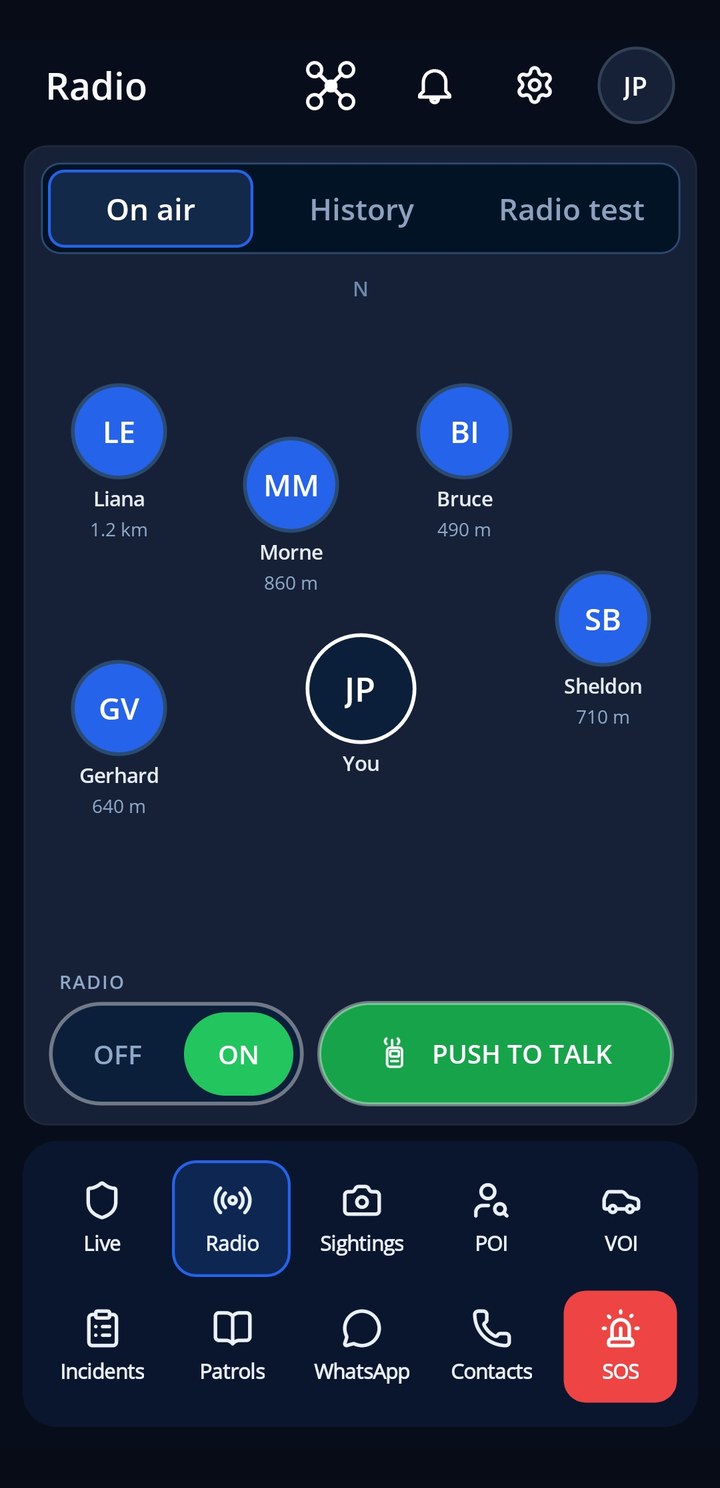
Radio
A walkie-talkie for the whole team: press, speak, release. Transmissions are delivered to the people on duty and recorded for 24 hours.
Push-to-talk to everyone on duty
Recorded clips for 24 hours, then deleted
Works alongside the web control room
Radio on or off is your choice
📝
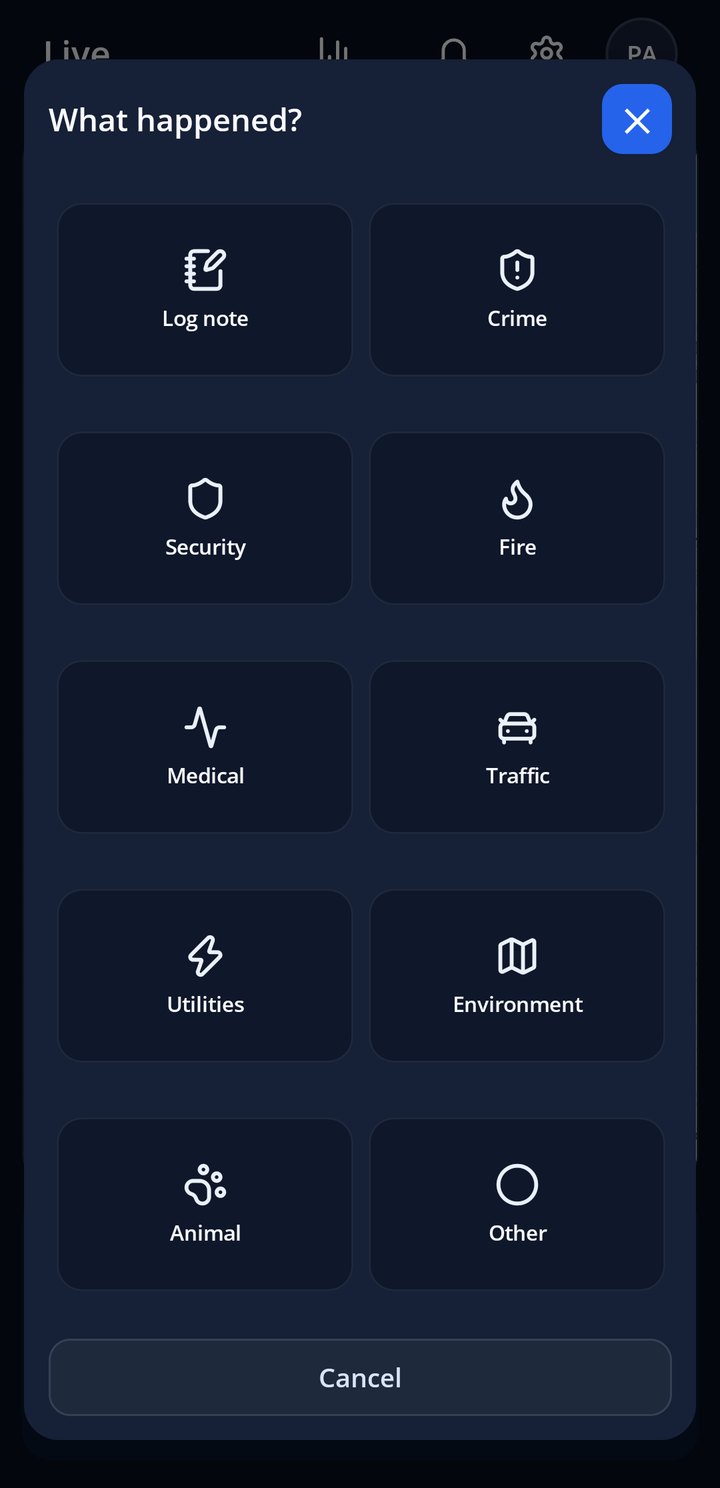
Report in two taps
What happened, where, with a photo. The pin is placed for you, the control room sees it instantly and the AI review reads it before a person does.
Photo, category and location in seconds
Pinned automatically, corrected by you if needed
Instant in the control room and the feed
AI review flags what needs attention
🏠
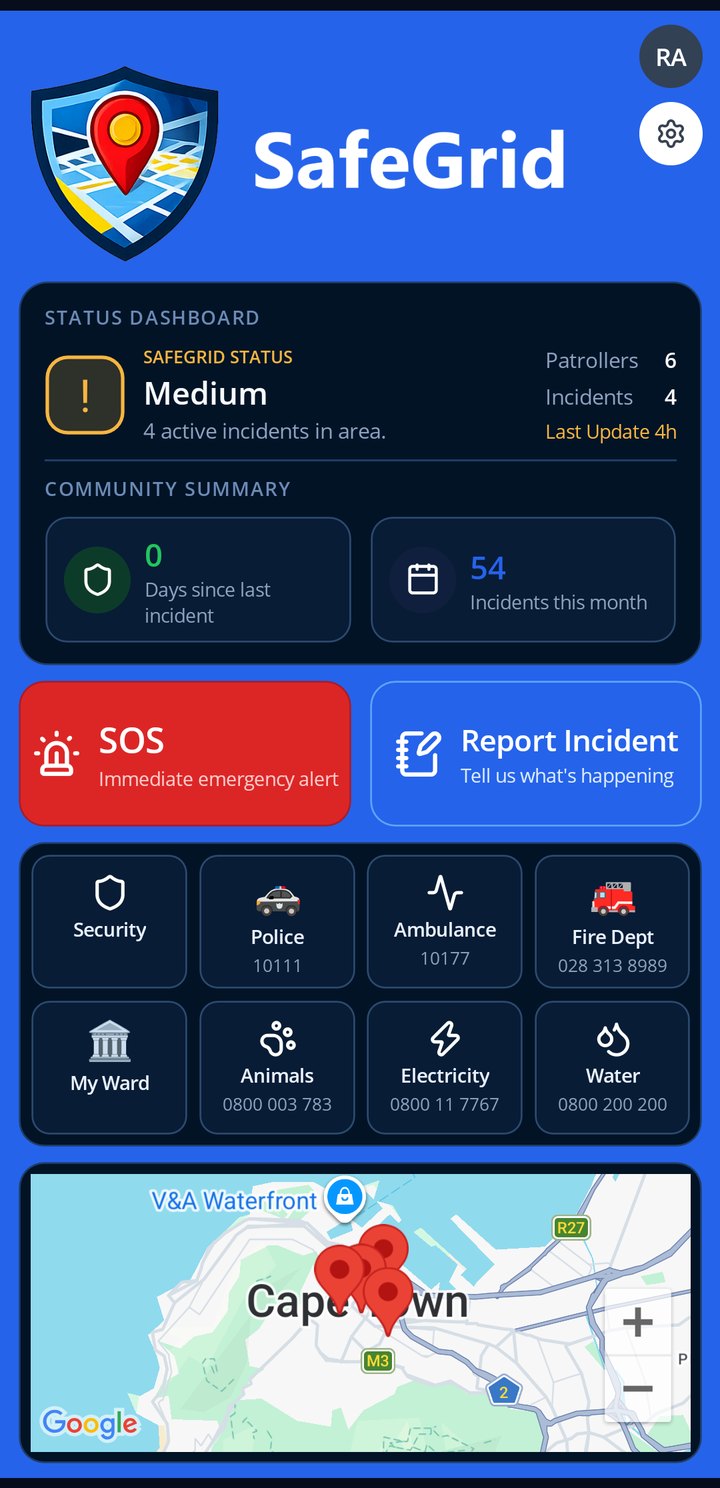
The resident app
What a resident sees on opening SafeGrid: the site's safety status, one-tap SOS, report an incident, every emergency number a tap away, and the latest incidents on the map.
SOS and Report on the first screen
Emergency numbers kept up to date by the site admin
The site's status and this month's incidents at a glance
Your site's own branding
🆘
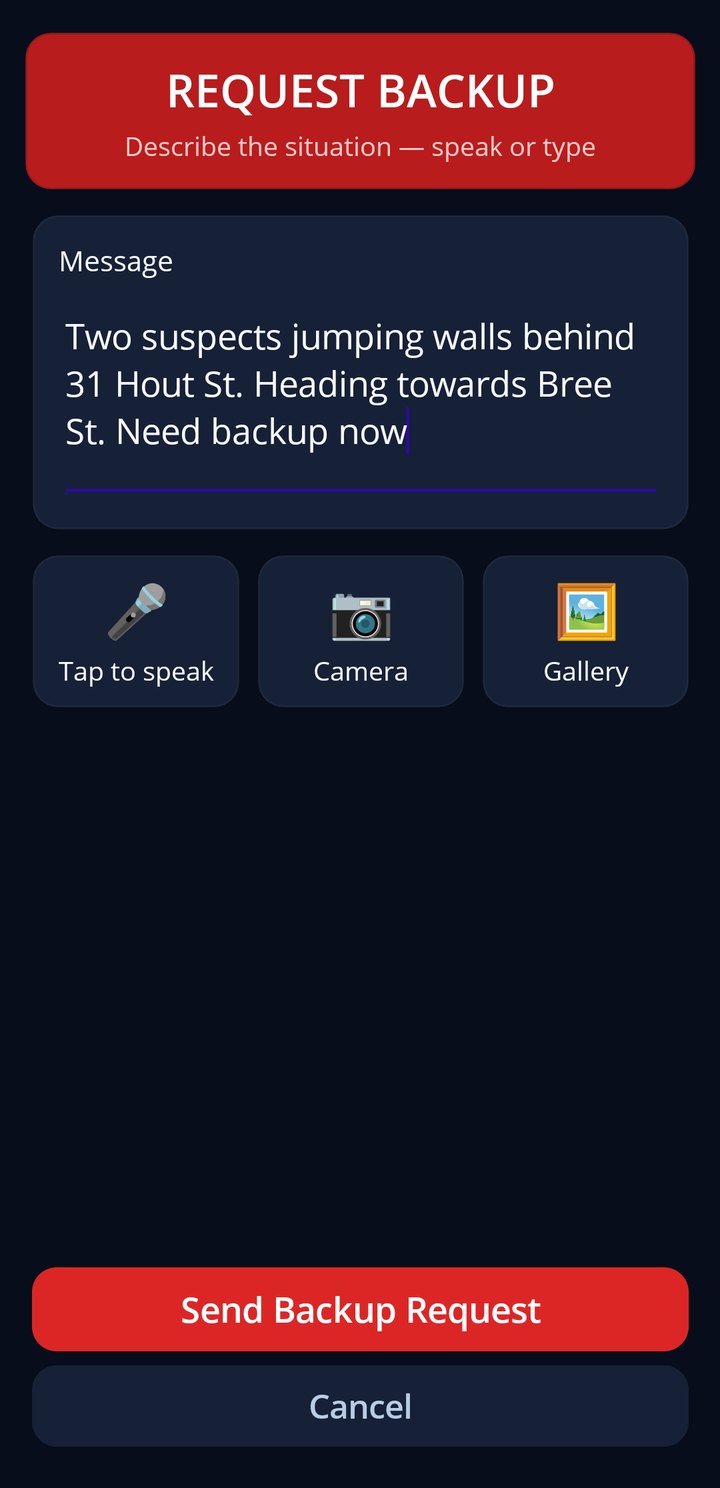
Request backup
On patrol and need help now: say or type what is happening and every patroller on duty and the control room get it with your position, loudly.
Your position goes with the request, always
Speak or type, attach a photo
Loud alert on every on-duty phone
Never behind a paywall
📒
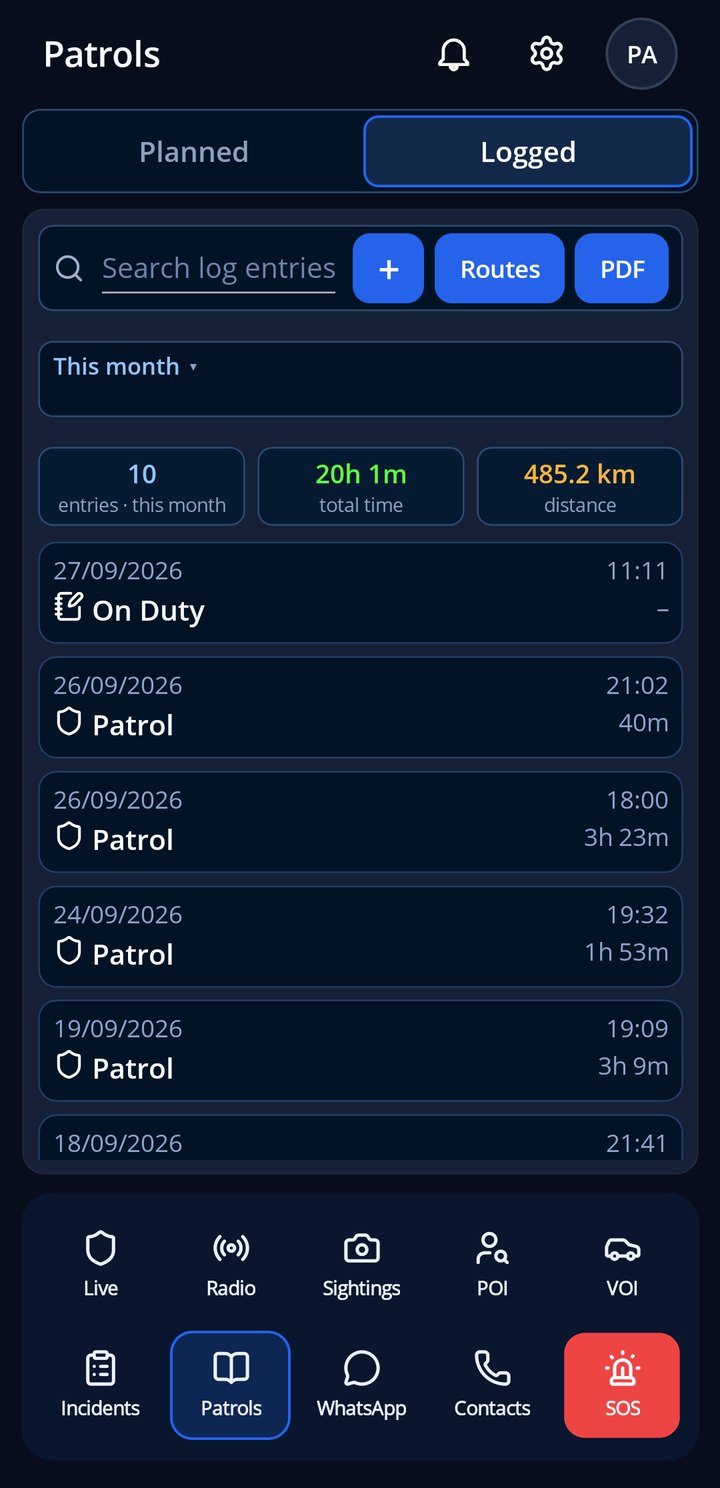
Log book
Patrol hours and kilometres are recorded automatically while you are on duty. No forms, no guesswork, and the monthly report writes itself.
Hours and kilometres captured automatically
Your patrols, your history, on your phone
Feeds the site report and patrol optimisation
Trimmed to the site area, so numbers are honest
🧭
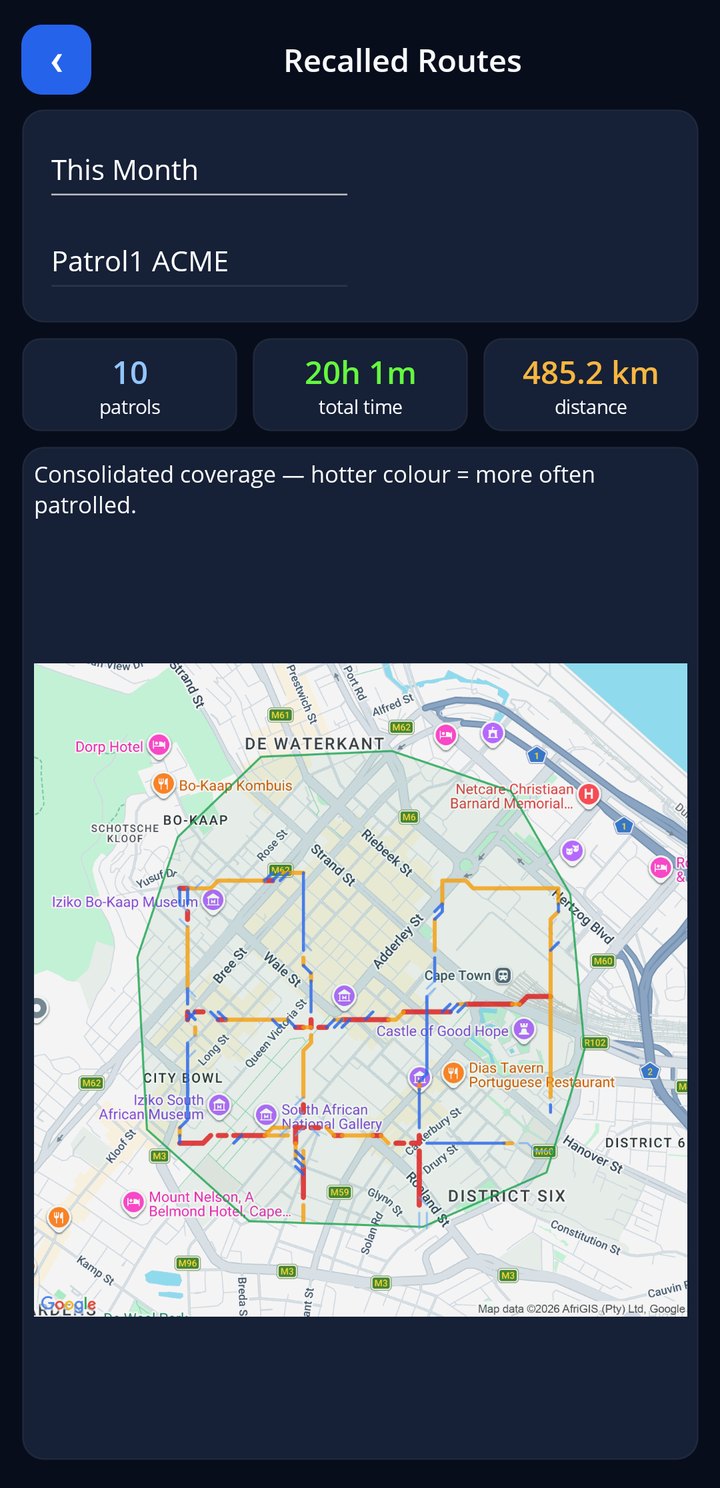
Patrol coverage
Every route you drove this month on one map, coloured by how often each street was patrolled, with the total patrols, hours and kilometres at the top.
Hotter colour = patrolled more often
Today, this week, this month or a chosen date
One patroller or the whole team
Shows the streets nobody has covered yet
💬
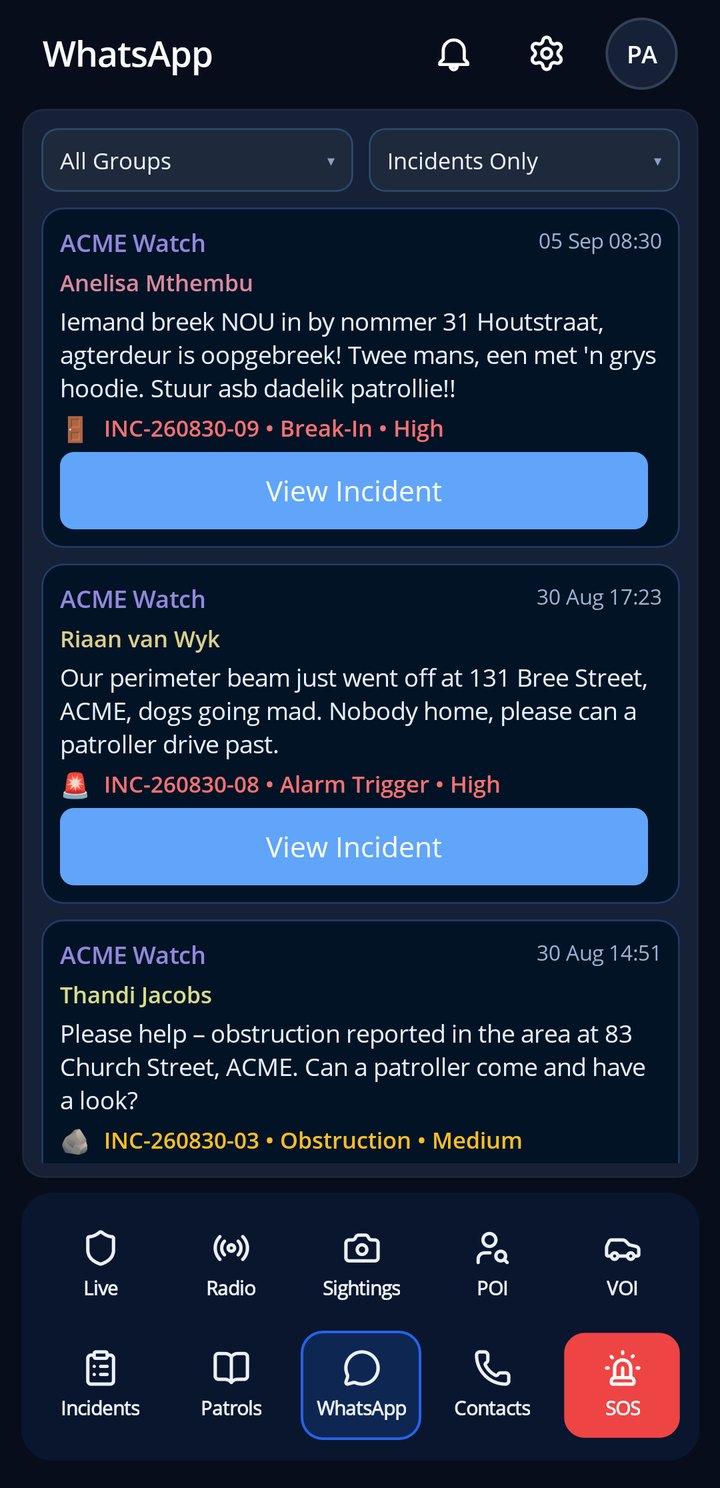
WhatsApp feed
Reports from the community WhatsApp group, read by SafeGrid and linked to incidents, so nothing said in the group is lost.
Group messages become incidents where they should
Reporter matched by phone number
Photos and voice notes kept with the incident
Read it in the app, act on it in the control room
📊
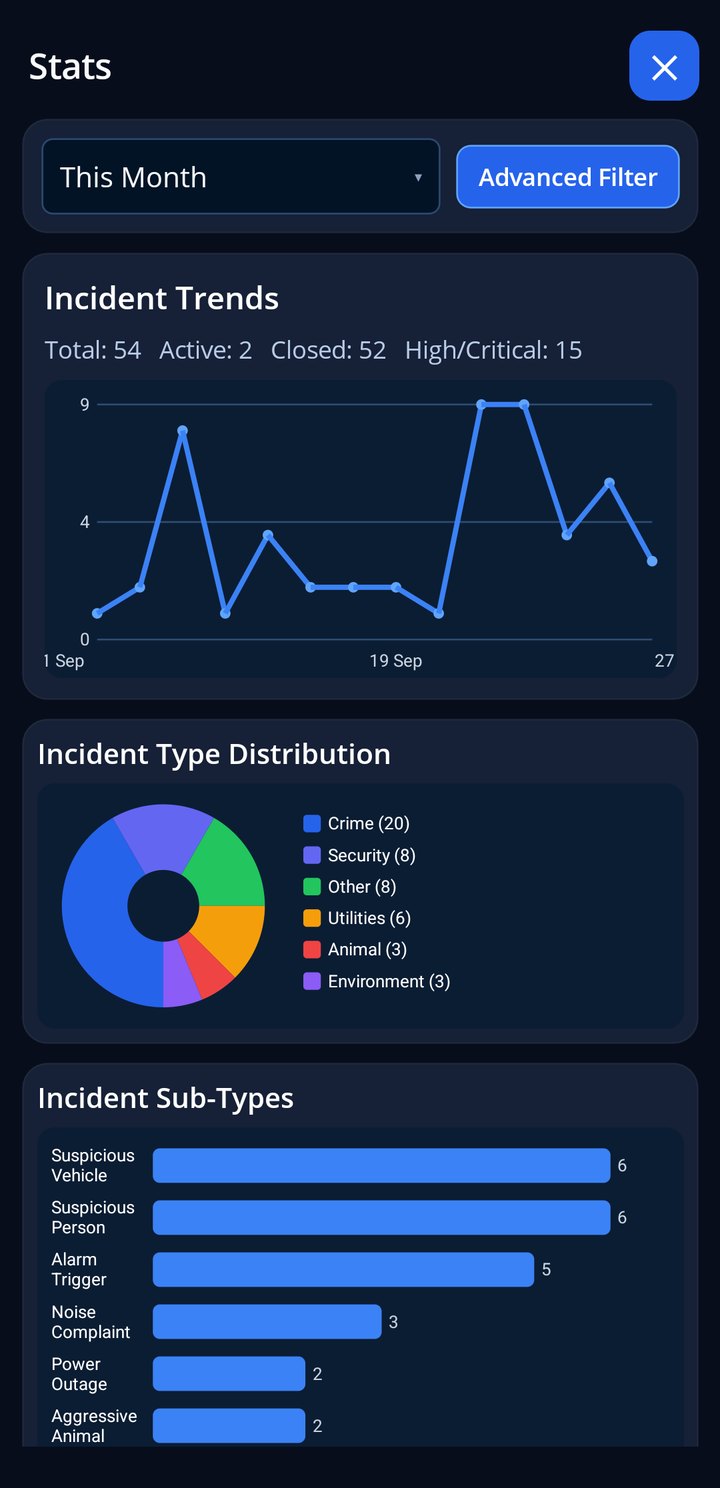
Stats
The month at a glance: patrols, hours, incidents and response, for you and for the site.
Your patrols and hours this month
Site incidents by type and severity
Response times and coverage
Same numbers as the web report
Real screens from a demo site. Every pin, photo and message here is synthetic.
A Full Native App for iOS & Android
SafeGrid is available as a full native mobile app for patrollers and residents. Real-time incident feeds, live map, walkie-talkie mode, duty status, SOS panic, and push notifications — all in one app that works offline too.
iPhone and iPad from the App Store. Android from Google Play.
 Showing this page in English.