
This screen belongs on a desktop. Your phone belongs in the app.
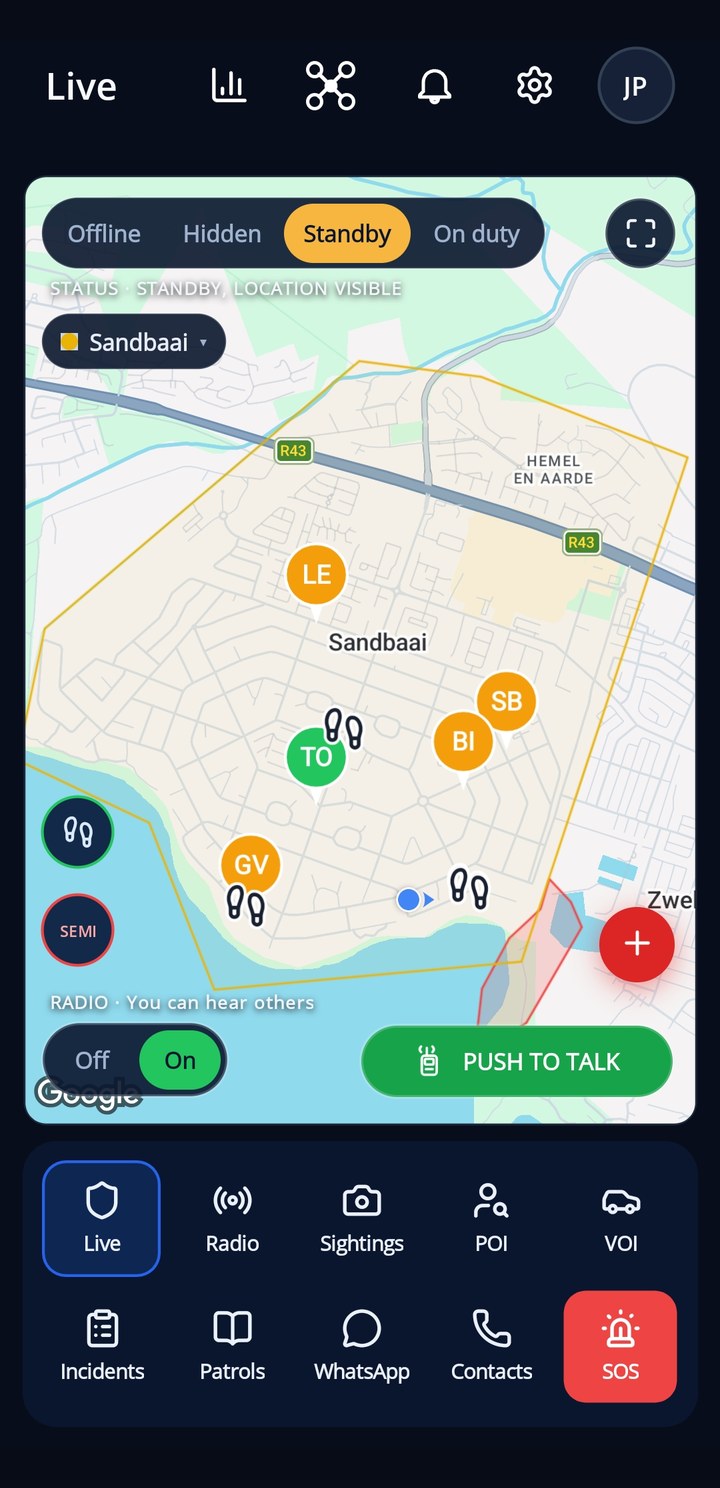
The SafeGrid web console is the control room for your community. Everything a member or patroller needs on the move is built into the SafeGrid app.
- 🆘SOS and live locationOne press sends your position to the people on duty. A browser tab cannot do that.
- 🔔Alerts that reach youIncidents, dispatches and panic calls arrive as push notifications, even with the screen off.
- 📻Radio, patrols and reportingTalk to the team, log your patrol and report with photos in seconds, with data used sparingly.


 Showing this page in English.
Delete Your Account
You can request deletion of your SafeGrid account and personal data at any time. This page explains exactly what is deleted, what may be retained, and how to make the request.
1. Delete your account now (self-service)
Sign in to delete your account — after signing in you can complete the deletion on this page immediately.
1b. Other ways to request deletion
- In the SafeGrid app: tap your avatar (top right) → Delete account.
- By email: Send an email from the email address registered on your account to support@safegrid.online with the subject line “Delete my account”. We complete the deletion within 30 days and email you to confirm.
- Through your site administrator: your site administrator can remove and fully purge your record from the team’s People area in the SafeGrid web console.
2. What gets deleted
When your deletion request is actioned, we permanently remove:
- Your account and login credentials
- Your profile — name, email address, phone number and profile photo
- Your patrol history and location trail
- Your device’s push-notification token
- Photos, voice notes and messages you created
- Incident reports you submitted (removed, or anonymised where the incident forms part of a shared community safety record that other members rely on)
3. What may be retained
- Aggregated, anonymised safety statistics that no longer identify you
- Records we are legally required to keep for a limited period under applicable law — these are deleted once that period ends
We never sell your personal information, and we do not share it with third parties for their own purposes. See our Privacy Policy for full detail.
4. Timeframe
Deletion requests are completed within 30 days of verification. Once complete, the deletion is permanent and cannot be undone — you would need to create a new account to use SafeGrid again.
5. Questions
Contact us any time at support@safegrid.online.